Make sure reporting a problem leads to action
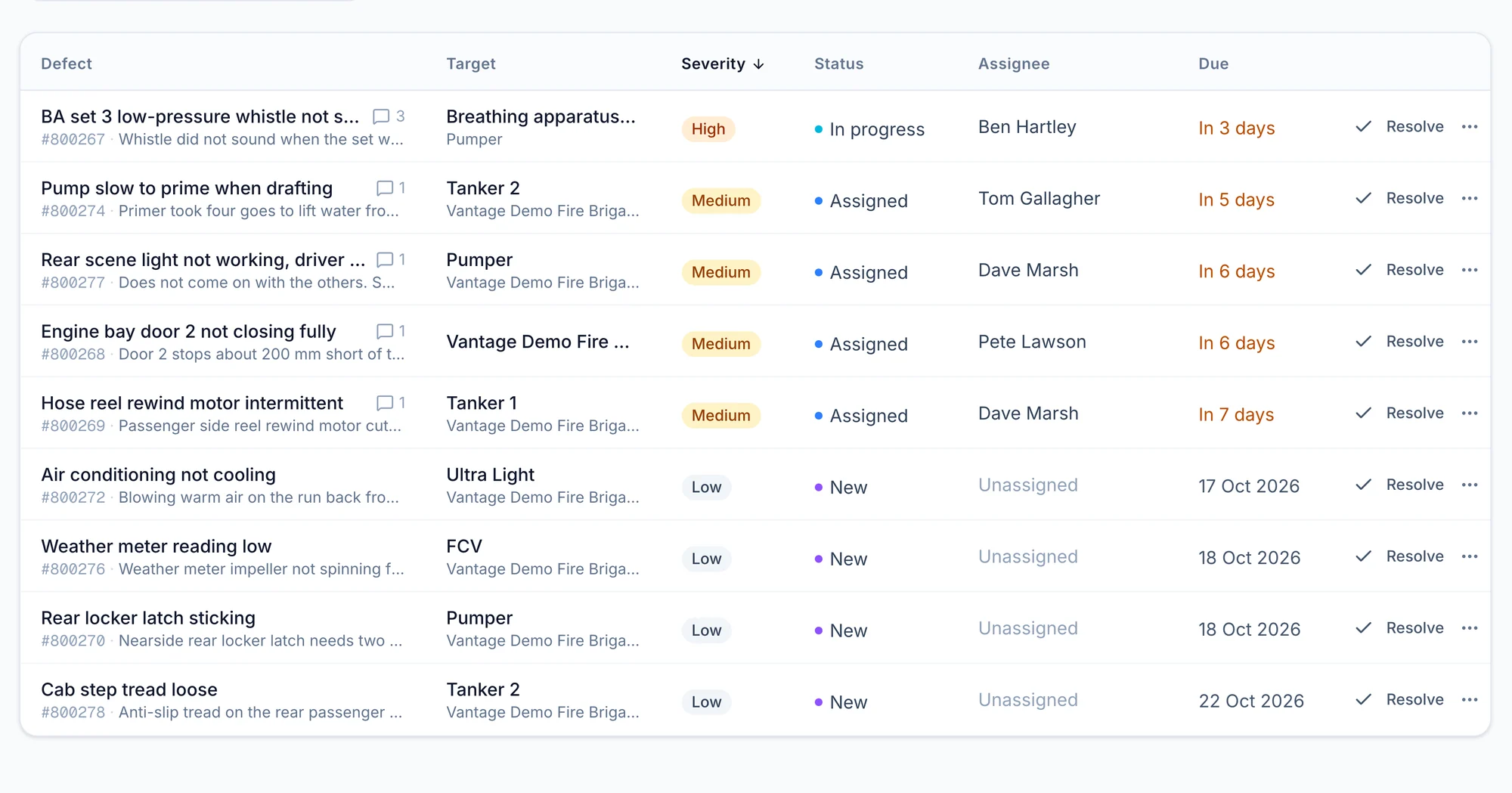
Give each defect a clear next step, with responsibility and progress visible so members can see what is being done about the problems they report.

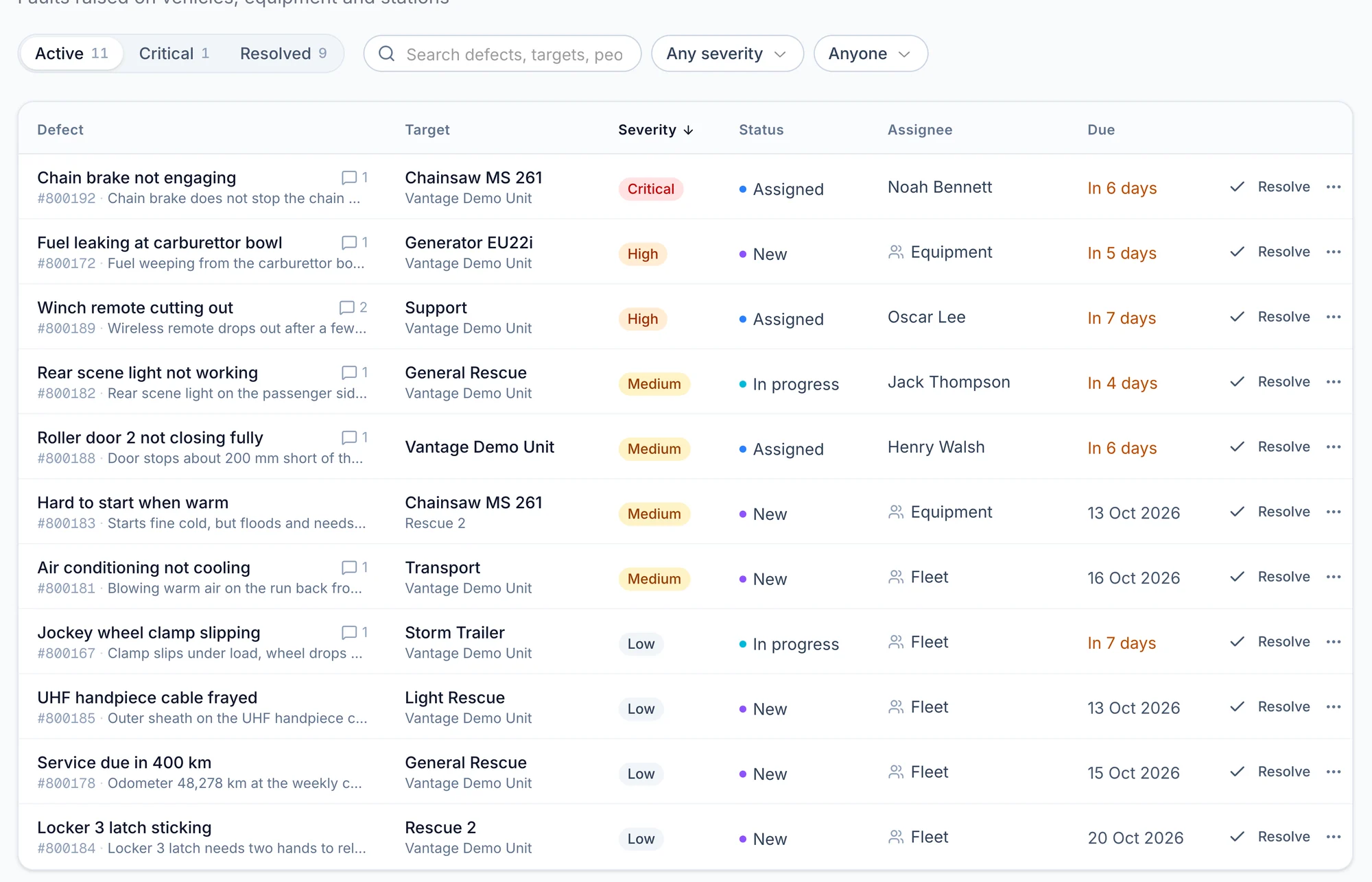
From found to fixed
- New
Raised from a failed check or reported by hand, with a number you can quote.
- Assigned
A person or a team has it, with a due date.
- In progress
Comments record what has been done.
- Resolved
Closed, and kept in the item's history.
Know what needs your attention next
Review severity, assignments and due dates together to prioritise repairs and follow up on work that is still waiting.
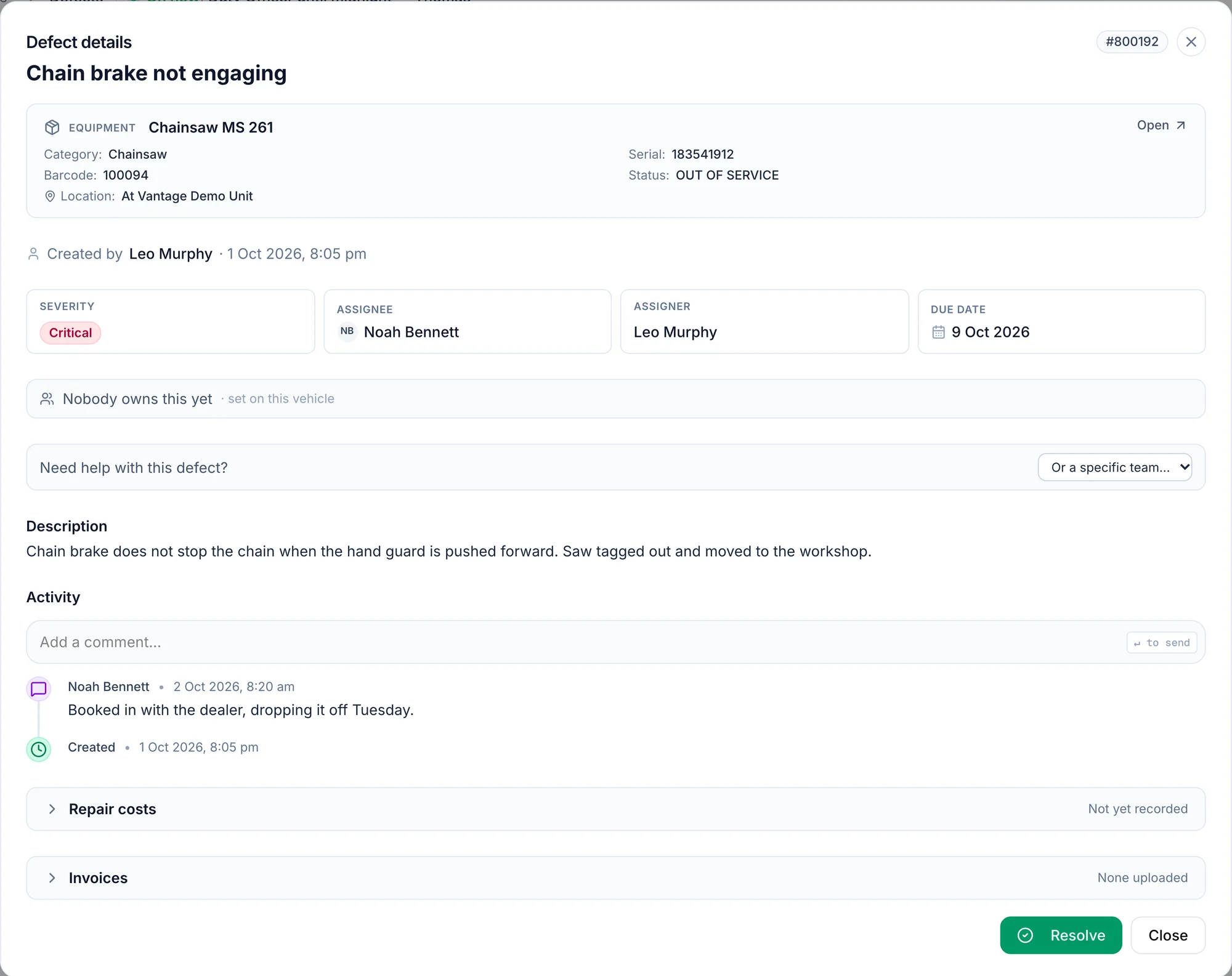
Keep the repair moving without chasing the history
Give the next person the full story
Keep comments, repair costs and invoices with the affected item so anyone taking over can see what has happened and what remains to be done.
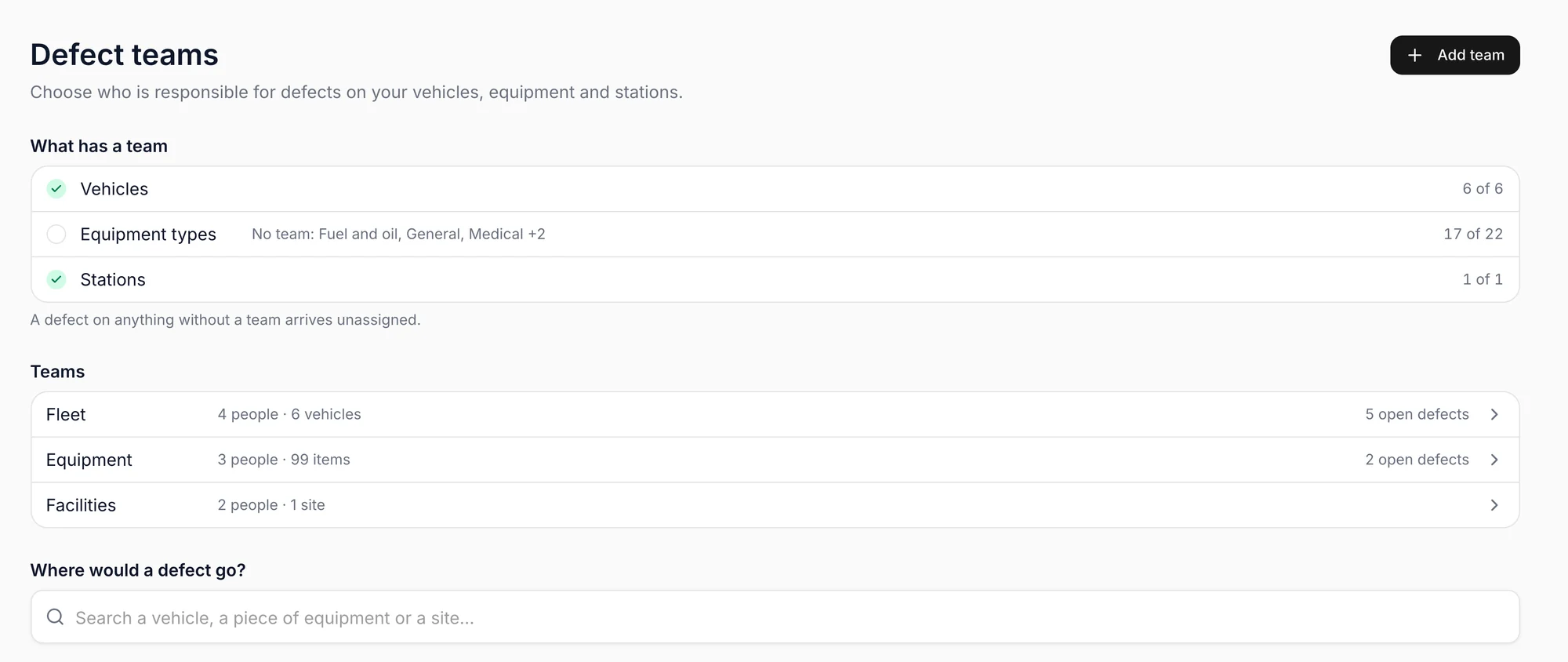
Get problems to the right people
Set up teams for vehicles, equipment or facilities so new defects reach the people responsible for resolving them.
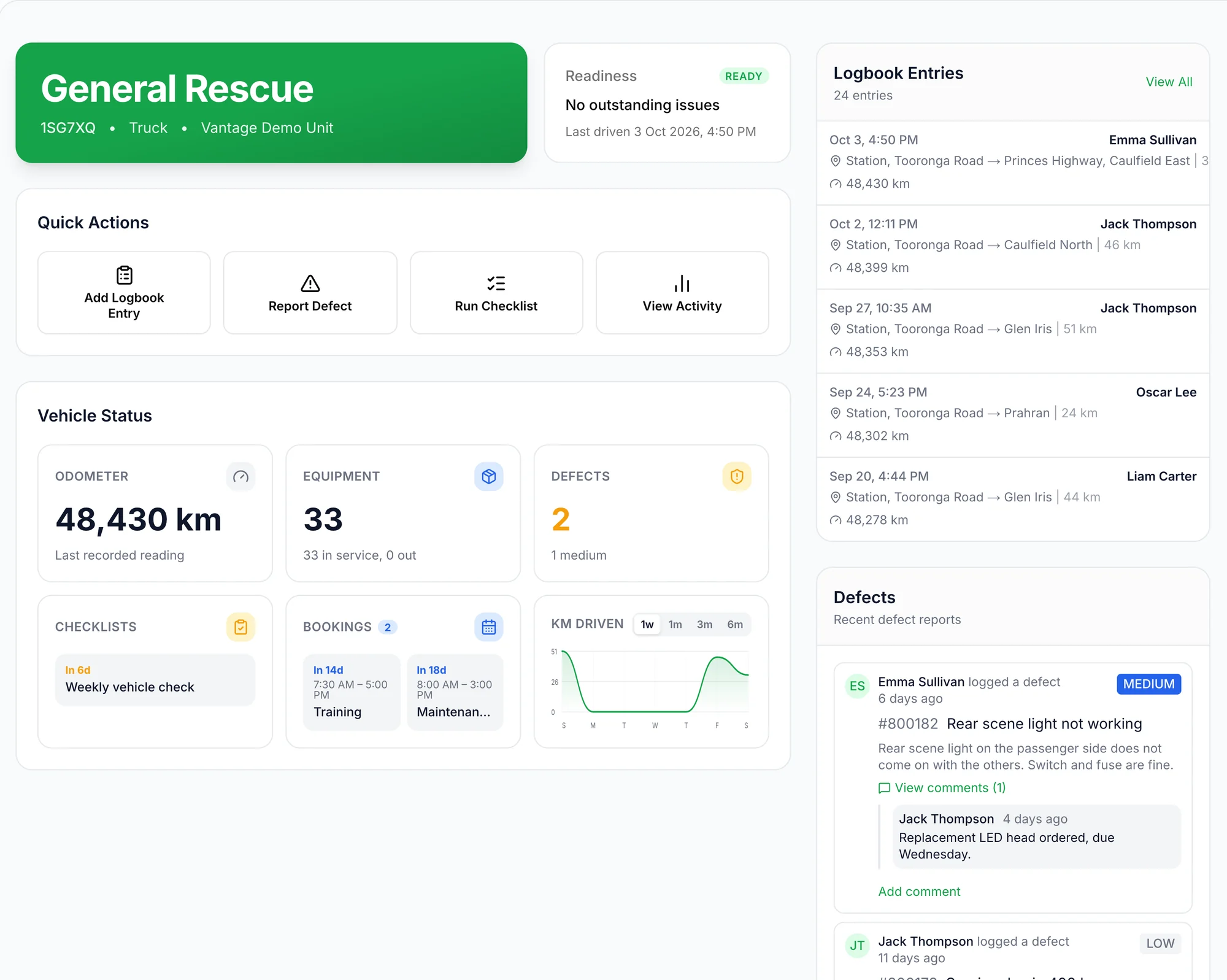
Check known issues before using a vehicle
See open defects and their updates on the vehicle record, without having to ask who last reported a problem.
Follow through on equipment faults
Track faults across your equipment with the same clear ownership, making it easier to follow up beyond the vehicle itself.
Questions
Where do defects come from?
Most are flagged during an inspection. The rest are reported by hand from the home page, a vehicle's page or the inventory.
What about gear that expires?
An item with an expiry date raises its own defect on the day that date passes, against the vehicle or station it is kept on.
Does a defect affect a vehicle's readiness?
Yes. A critical defect marks the vehicle not ready, and the readiness page names the defect.
Can we export them?
Yes, to a spreadsheet from the defects page.