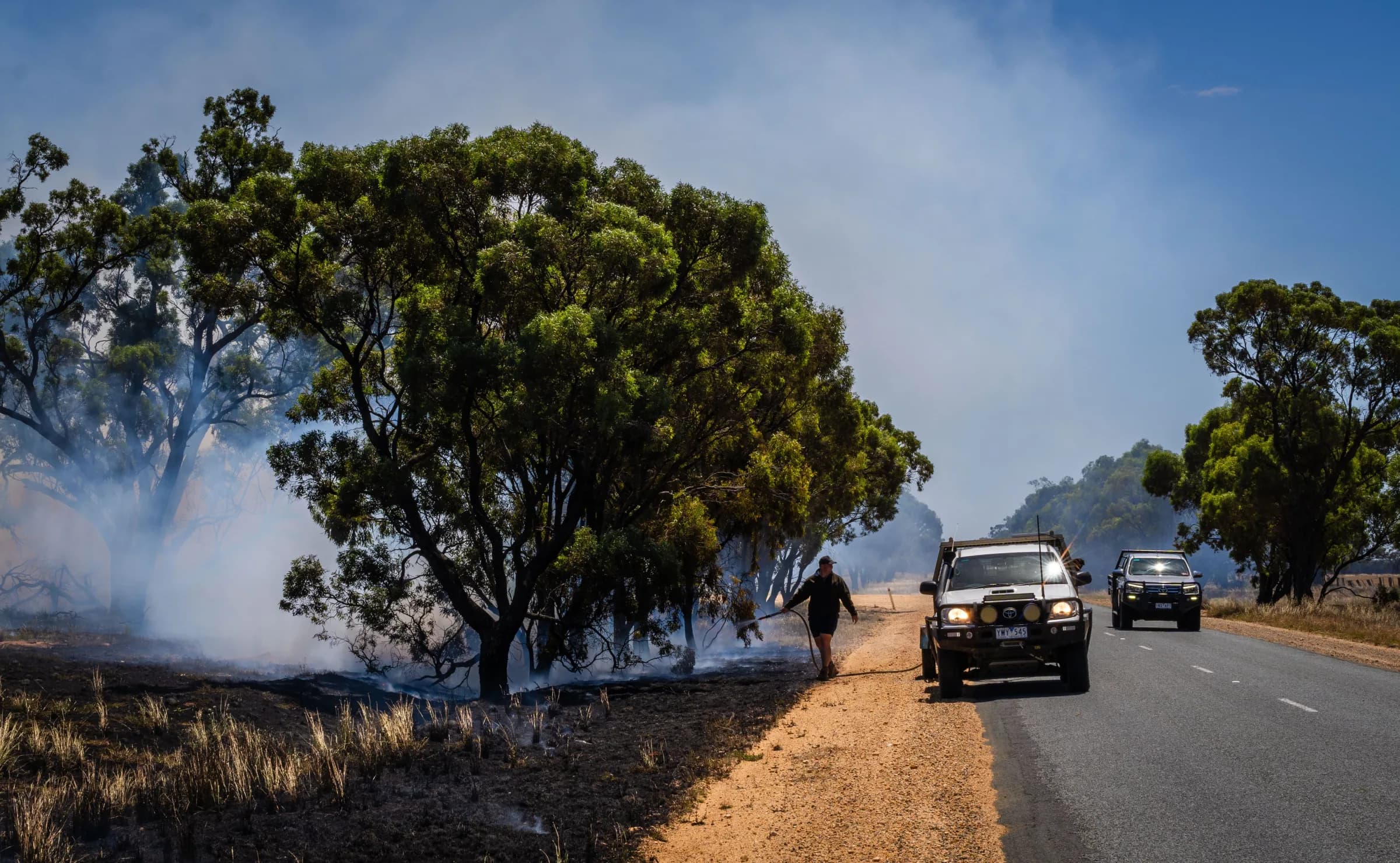
Recognise the time your members give
Every brigade and unit has to be able to show who was at the station and when. Make signing in simple and that record keeps itself, with members’ hours added up for you.

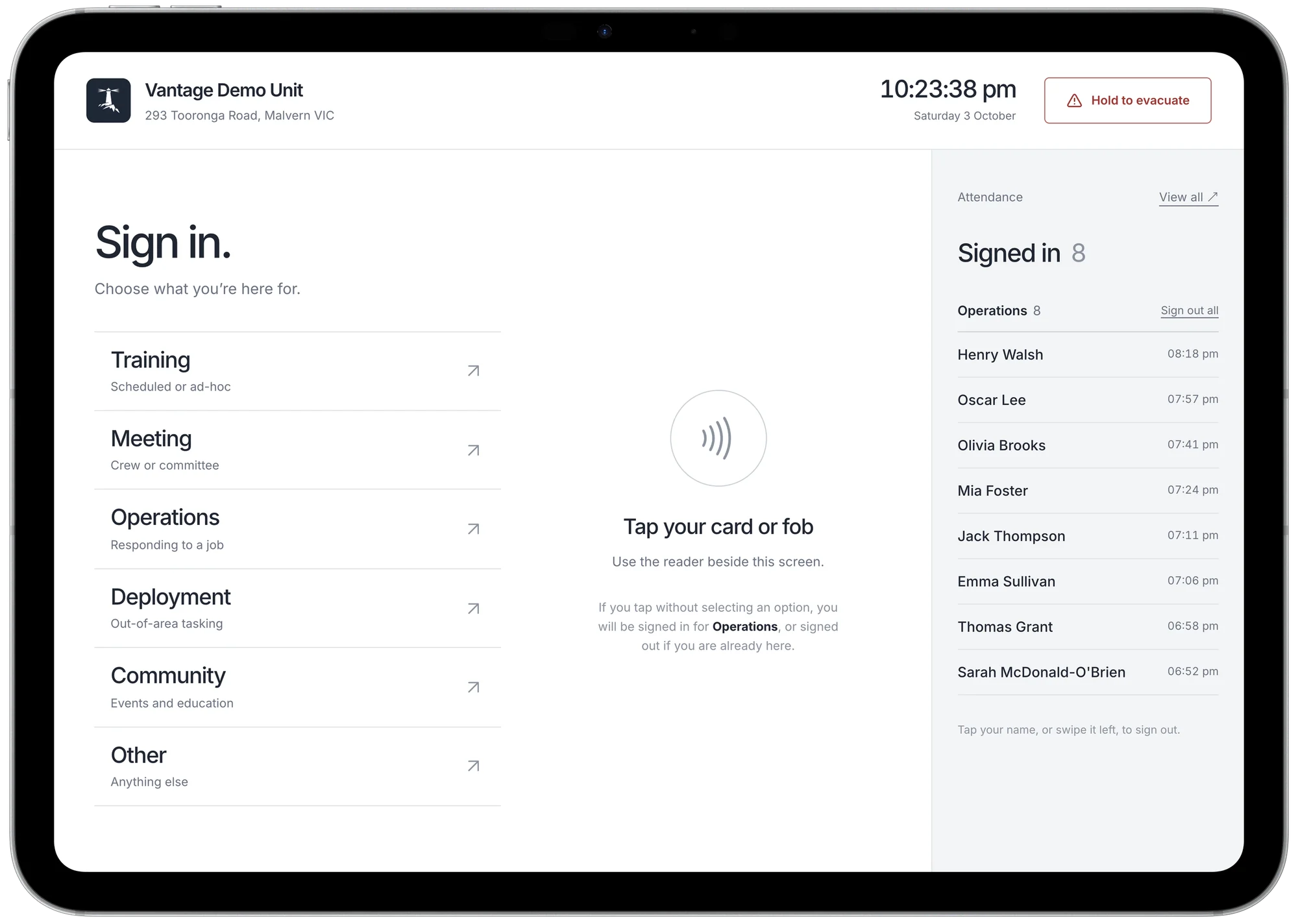
Make attendance easy to record
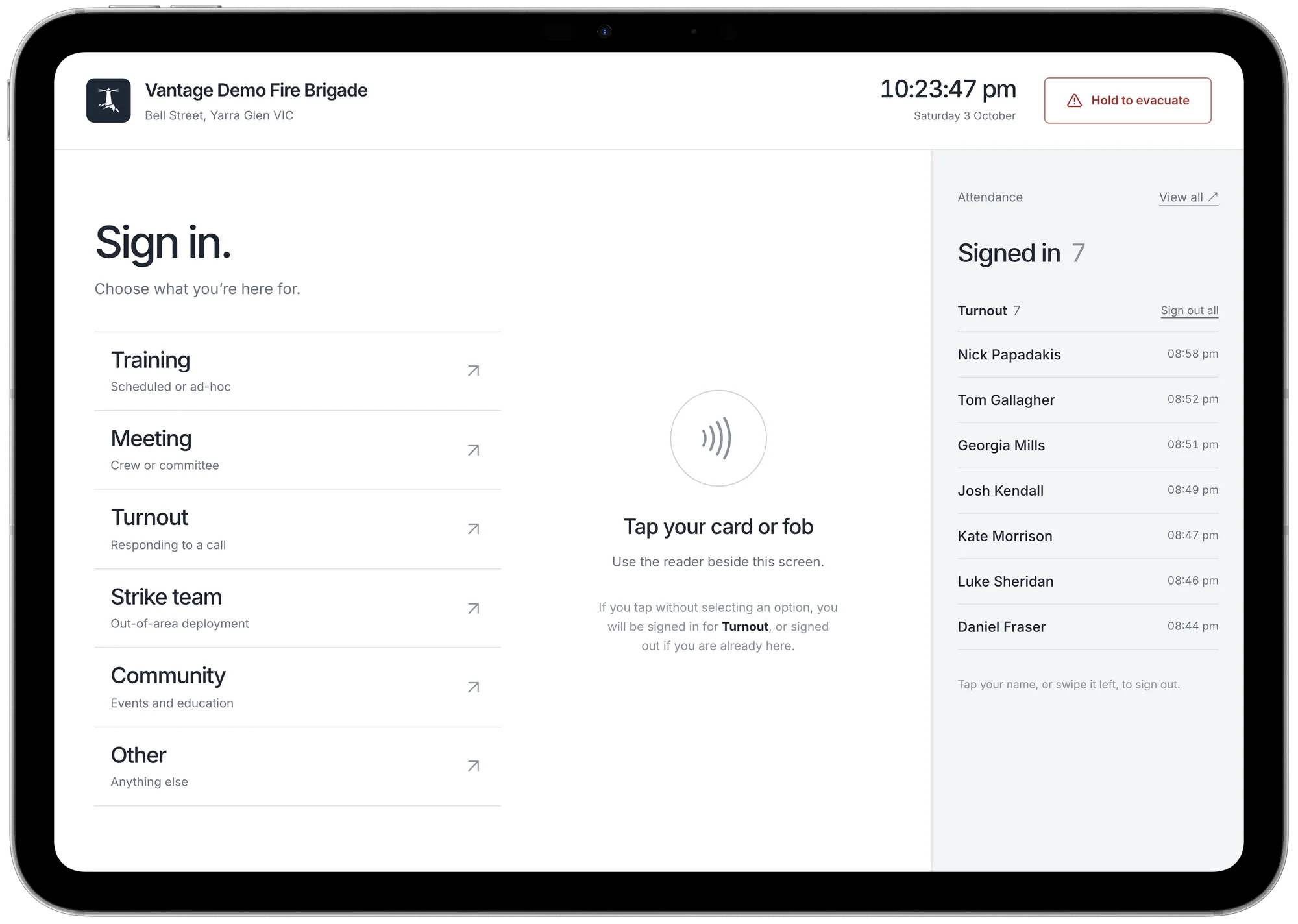
Members can sign in and out with a card tap, keeping the record up to date as part of arriving and leaving.
- 1
No typing
Tap without choosing a reason and you are signed in for operations.
- 2
Who is in the building
Everyone signed in, with the time they arrived.
- 3
Hold to evacuate
The list of who is inside is frozen and emailed to your wardens.
Record the activities that matter to your station
Choose sign-in reasons that reflect how your members spend their time.
- Training
- Meeting
- Operations
- Deployment
- Turnout
- Strike team
- Community
- Other
Multiple ways to sign in
Send every member their pass in one email.
Digital passes
Apple Wallet or Google Wallet passes with QR codes.
On paper
A QR code to print and keep in a wallet or ID card holder.
A card or a fob
Tapped on a reader beside the iPad.
No pass at all
Pick your name from a list. Visitors sign in with a name, a company and a reason.
Put attendance records to good use
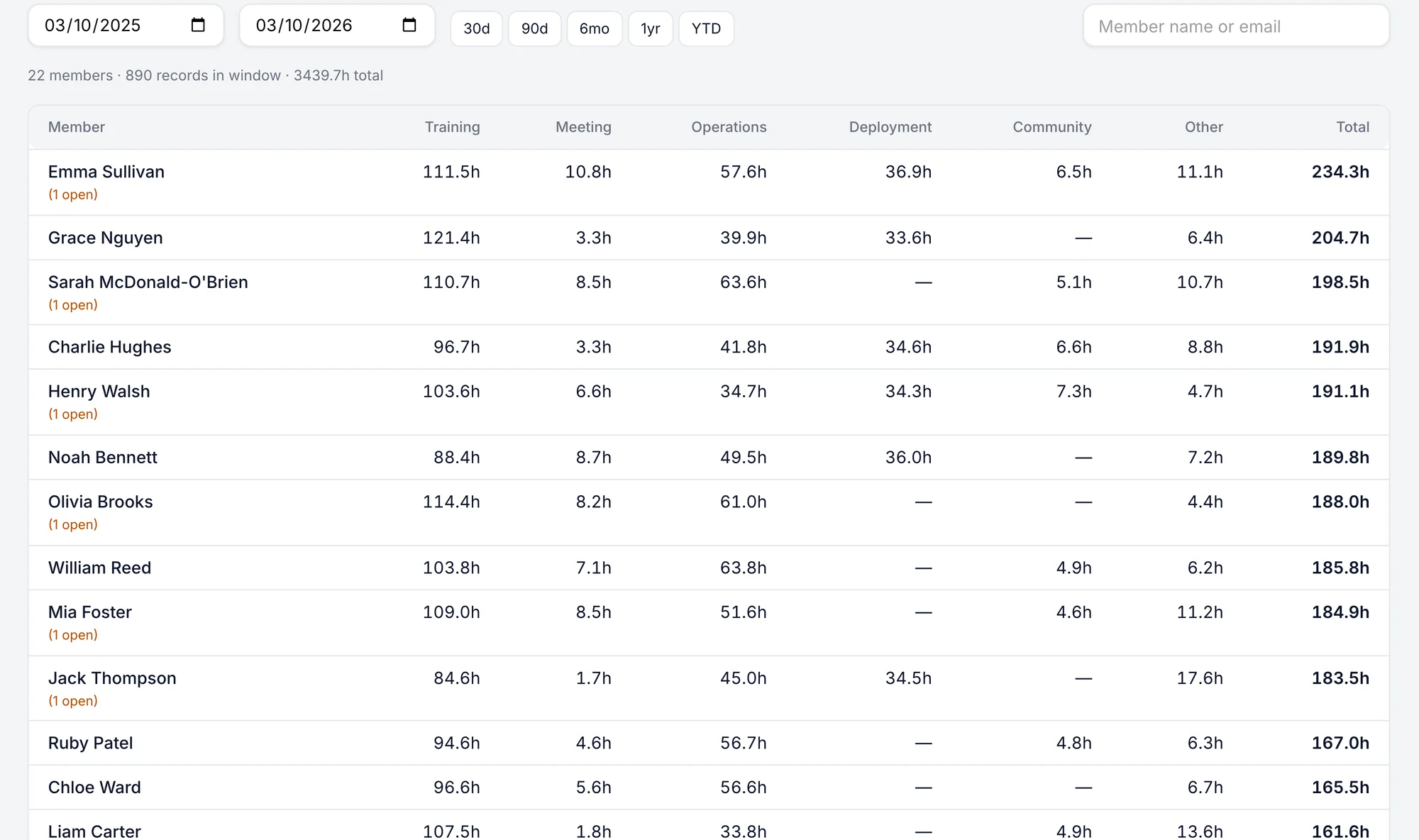
See the contribution behind the hours
Review time spent on training, meetings and operations without combining sign-in sheets or asking members to reconstruct their hours.
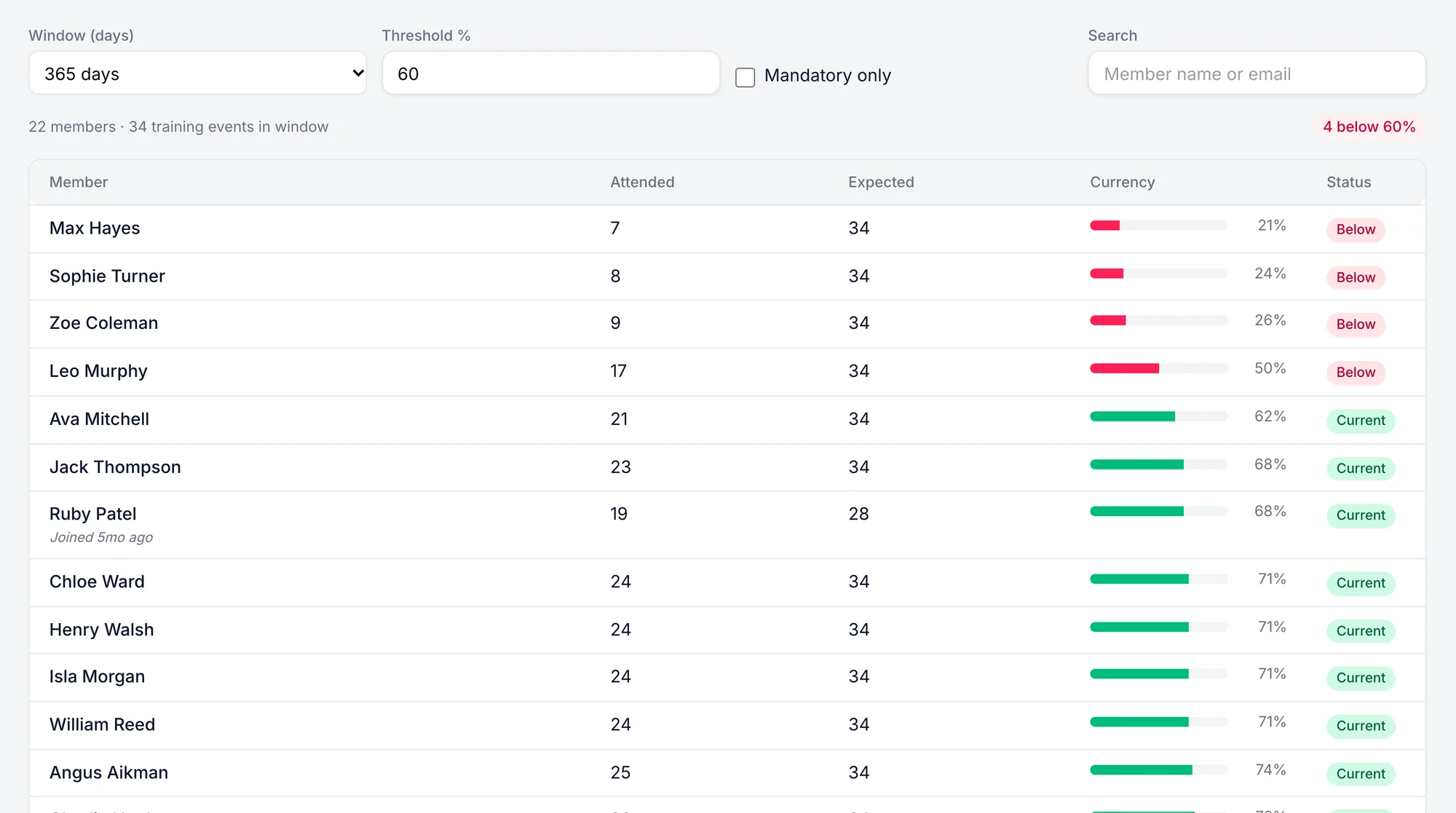
Notice when someone may need support
See when training attendance falls below your threshold so you can check in and understand what would help someone stay involved.
Make sign-in convenient at every entrance
Manage multiple kiosks from one place, making it easier for members to record attendance wherever they arrive.
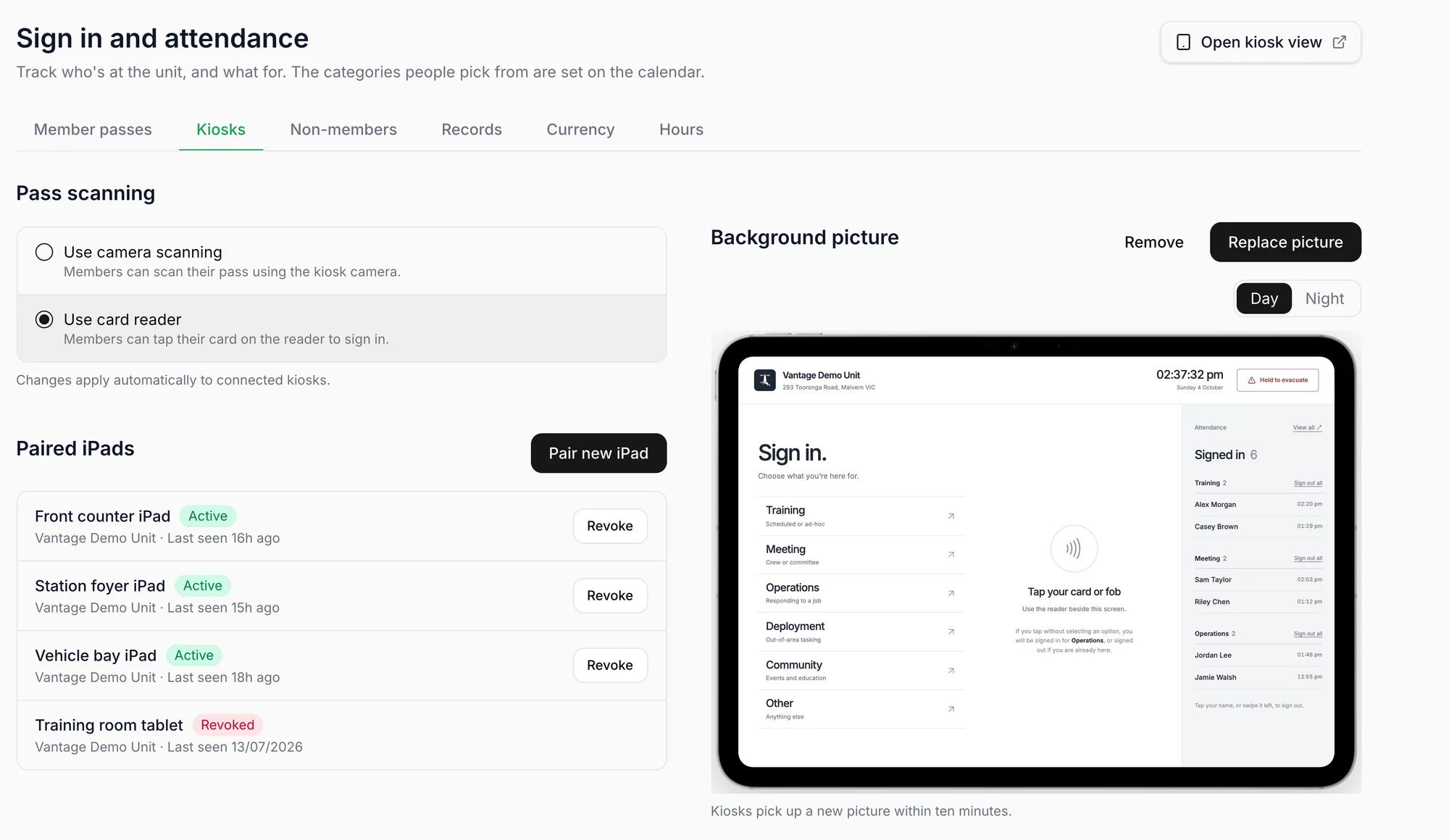
Make it familiar to your members
Use your own activity names so people can choose the right reason without having to interpret a generic list.
Questions
What do we need to get started?
An iPad connected to your Vantage organisation. Once set up, it stays signed in and ready for members to use.
What if the station loses its connection?
Sign-ins queue on the iPad and sync when it is back online.
How does an evacuation work?
Hold the button for about a second and a half. Vantage freezes the list of everyone signed in at that station, members and visitors, and emails it to your evacuation wardens.
Can members sign in to a training session?
Yes. When a session is scheduled in your calendar, members can select it as they sign in, linking their attendance to that session.