Stay in control as the pressure builds
Know what needs attention, who is available and how your response is progressing, with updates shared between the station, ICP or control centre, and crews in the field.
An incident board that does more of the work for you
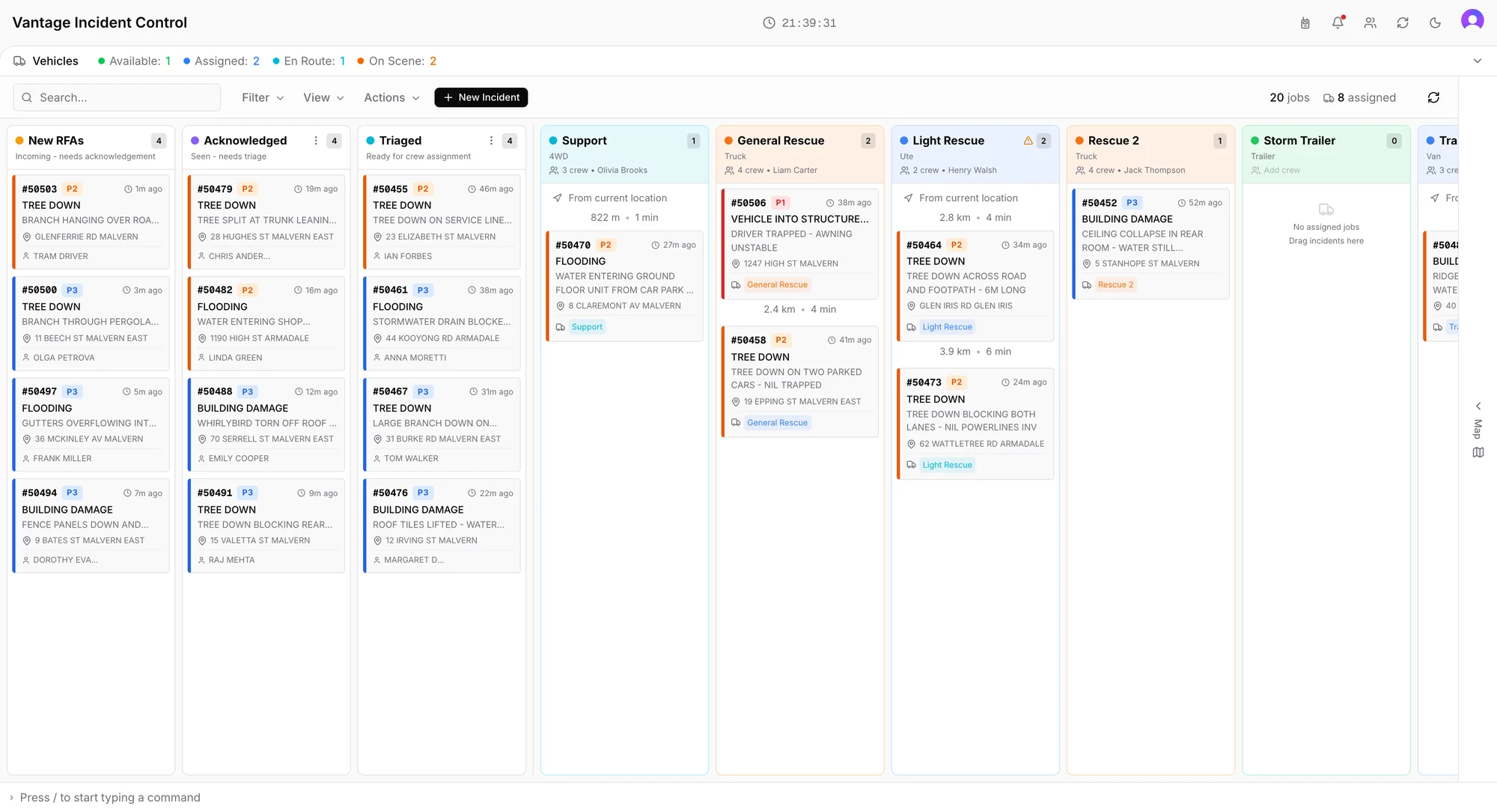
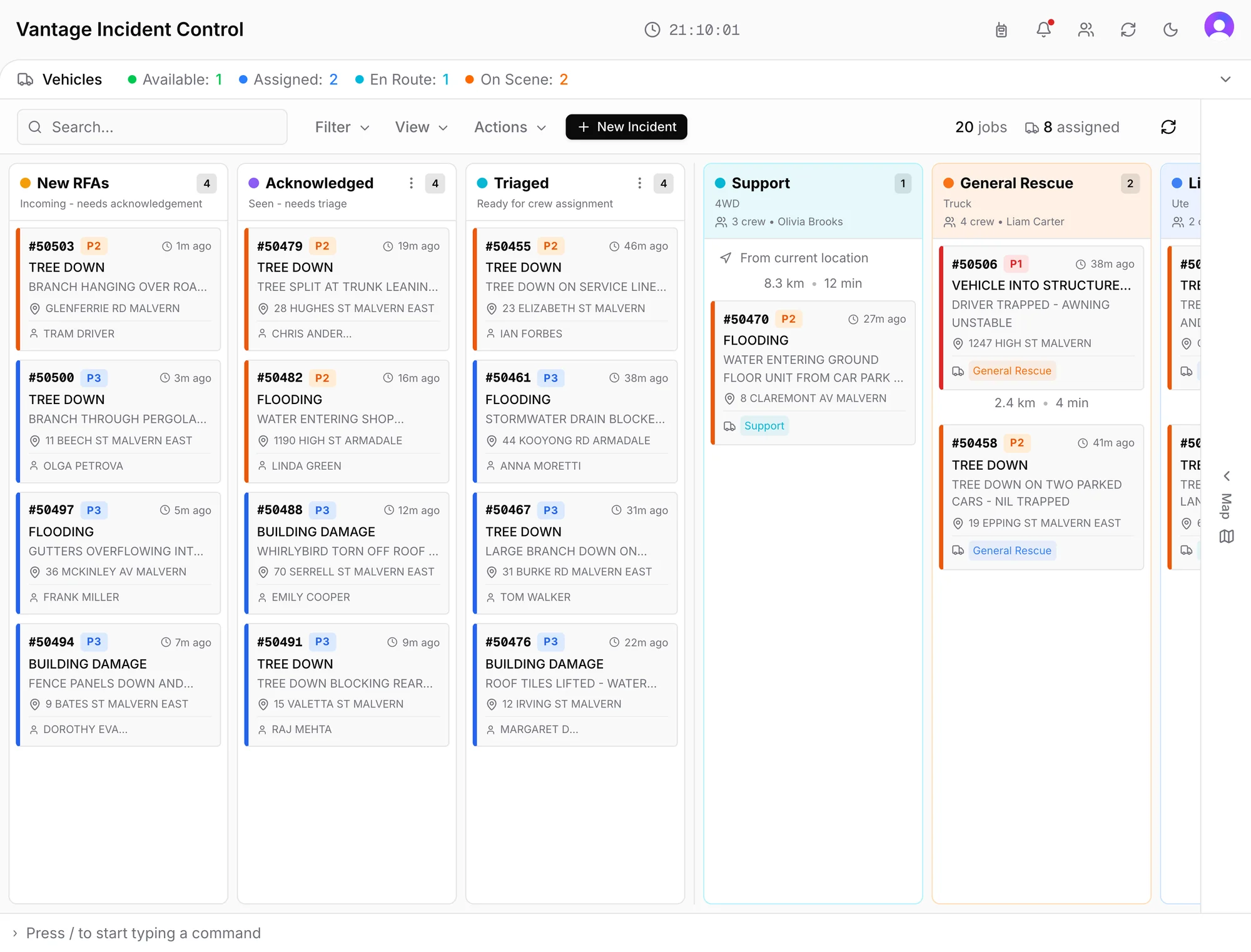
Keeping a whiteboard up to date means constant rewriting, running out of space and losing important details as information is rubbed out. Vantage creates incidents automatically and instantly, adding maps and details from connected services. Crew updates and caller photos complete the picture, with less information to enter by hand.
- 1
New incidents stand out
A new incident flashes until someone picks it up.
- 2
Who is free right now
Available, assigned, en route and on scene, counted across the fleet.
- 3
Plan the next assignment
Each vehicle shows the drive from this incident to its next.
Keep everyone up to date as the incident progresses
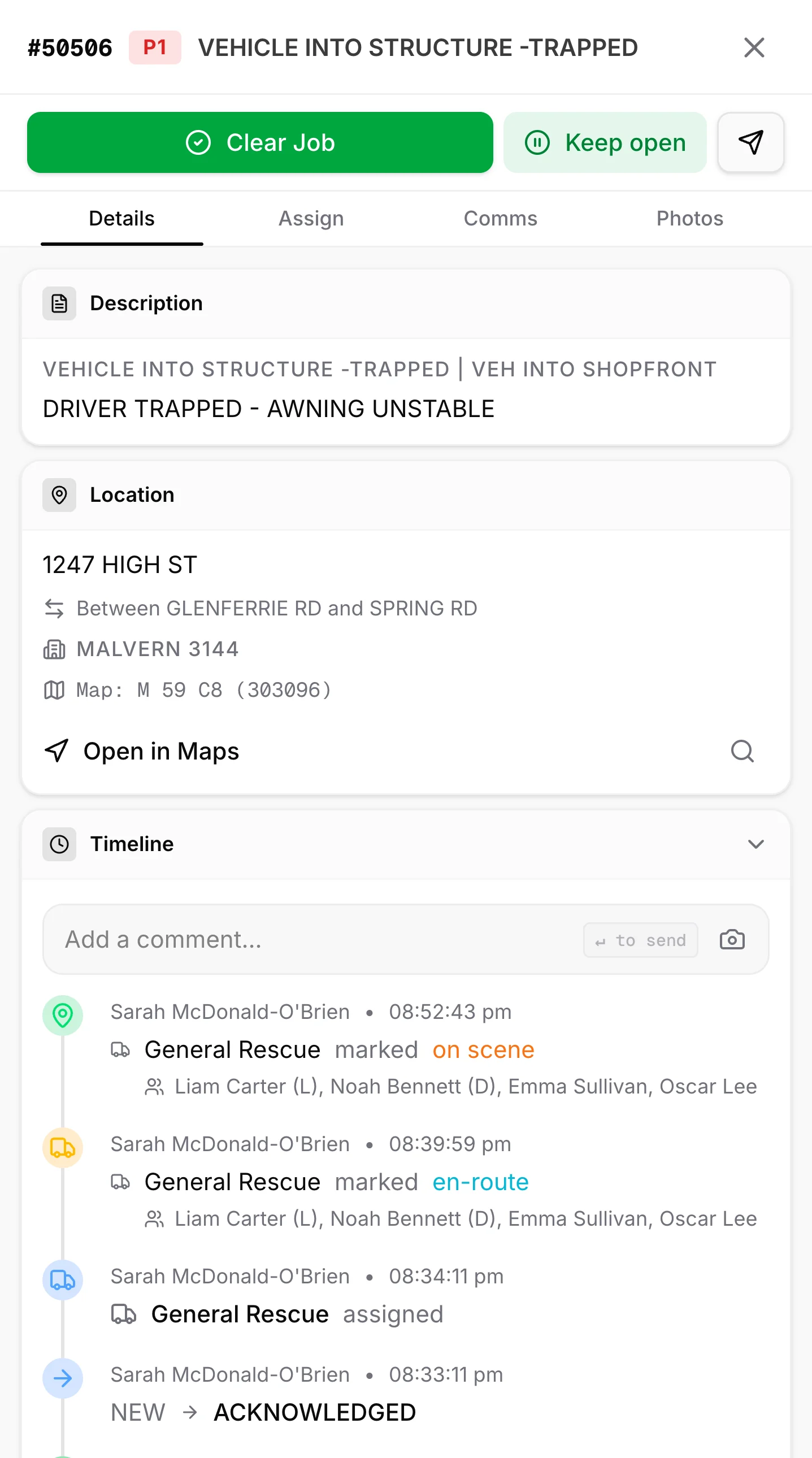
Each update records who made it and when, giving you a shared record to work from during the response and review afterwards.
- New
The incident arrives with the address, type and caller filled in.
Automatic photo request
When enabled, the caller automatically receives a link to upload photos to the incident.
70% respond with photos in under 2 minutes
Based on Vantage usage data
- Acknowledged
See that the incident has been acknowledged.
- Triaged
It is ready to go to a crew.
- En route
Crews confirm they are on their way.
- On scene
The crew’s arrival is shared with everyone.
Keep callers in the loop
When enabled, callers receive automatic updates as crews head their way and arrive on scene, so they know how the response is progressing.
- Cleared
Times, photos and comments carry into the report.
Give every decision a clearer picture
Get up to speed without chasing updates
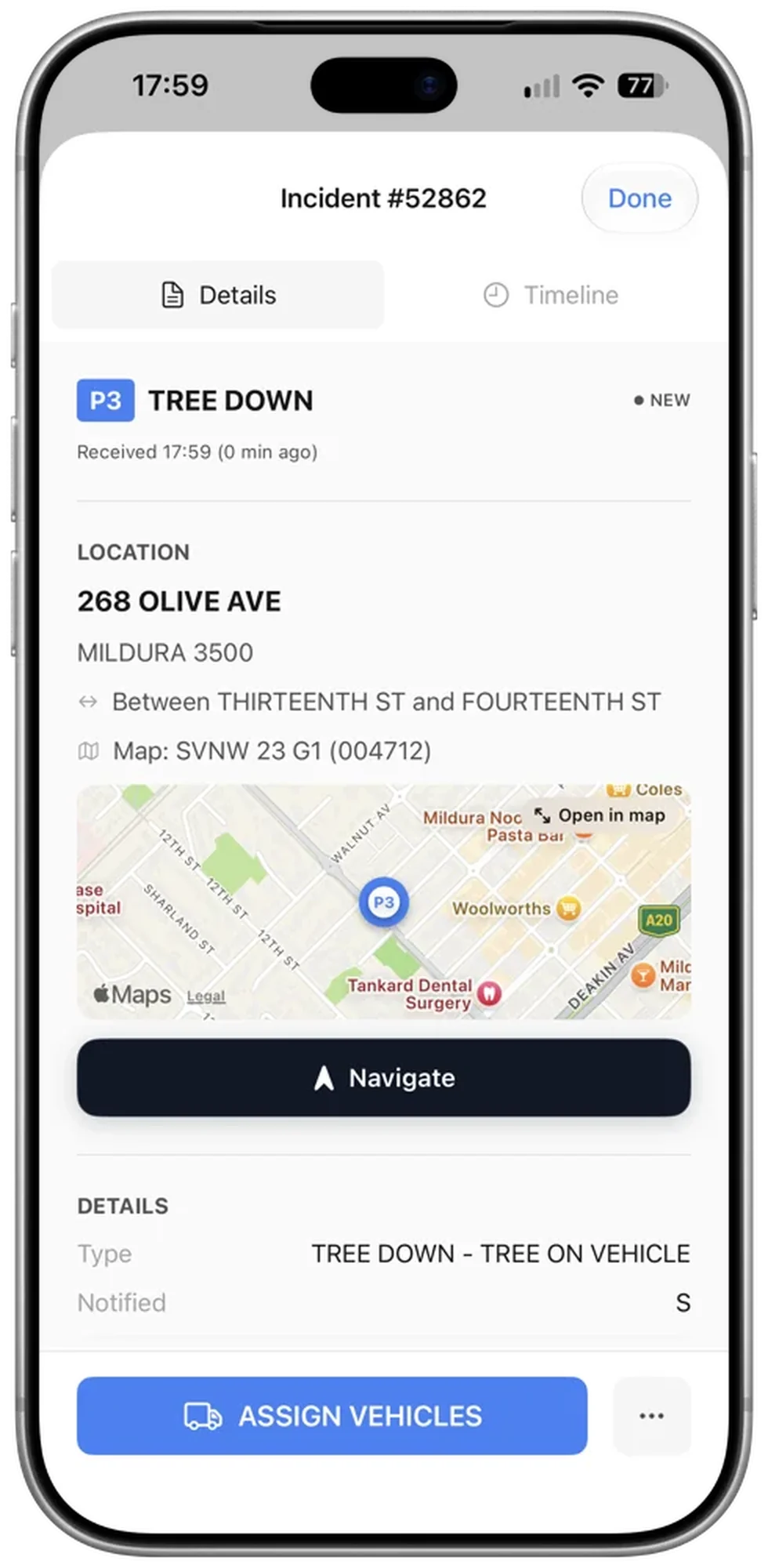
Understand what has happened and what has changed, with incident details and a shared timeline ready whenever you need to take over.
Help crews arrive better prepared
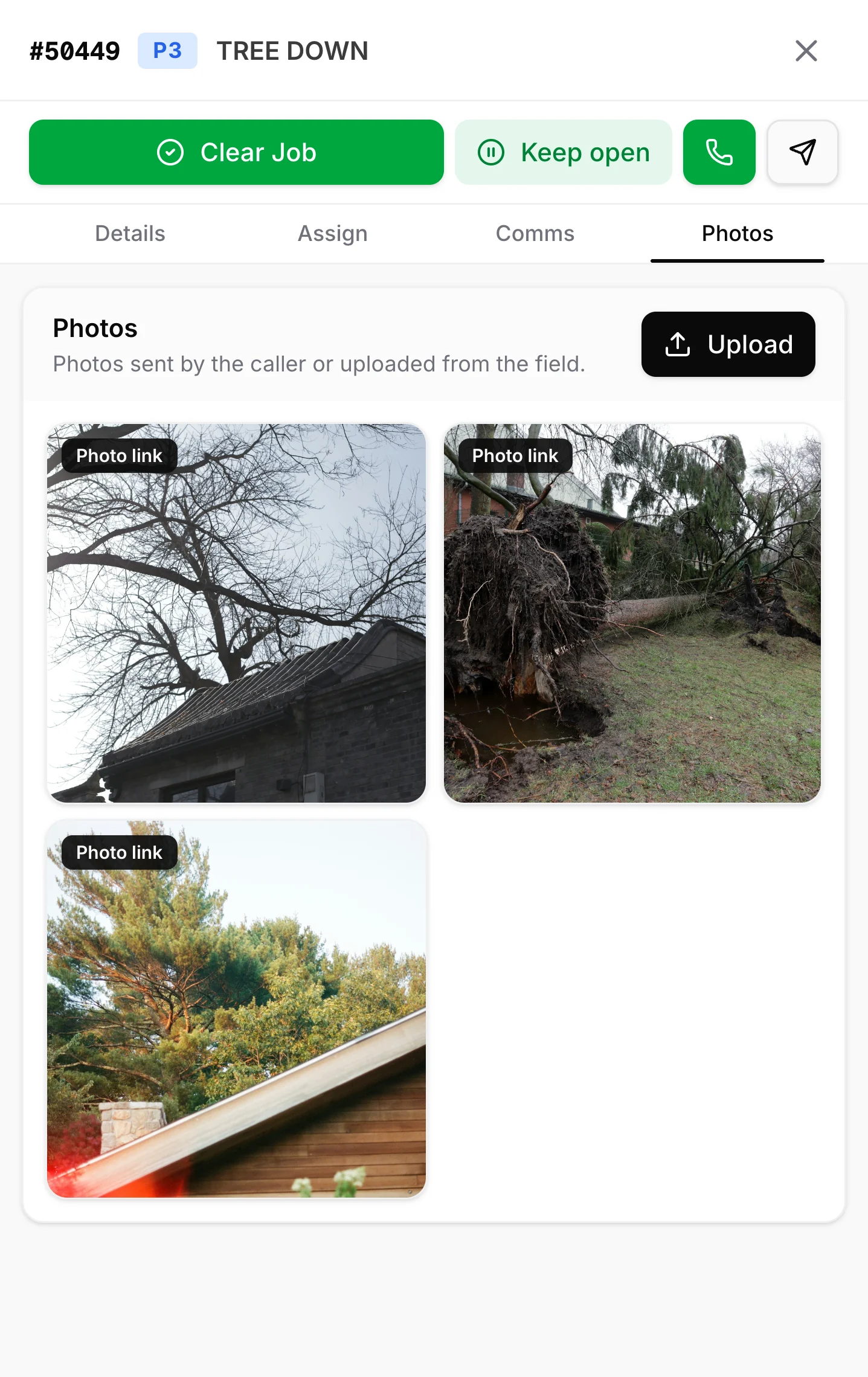
See what the caller is seeing before assigning a crew, with photos that help you assess the situation and prepare for what is ahead.
Keep people informed while you coordinate
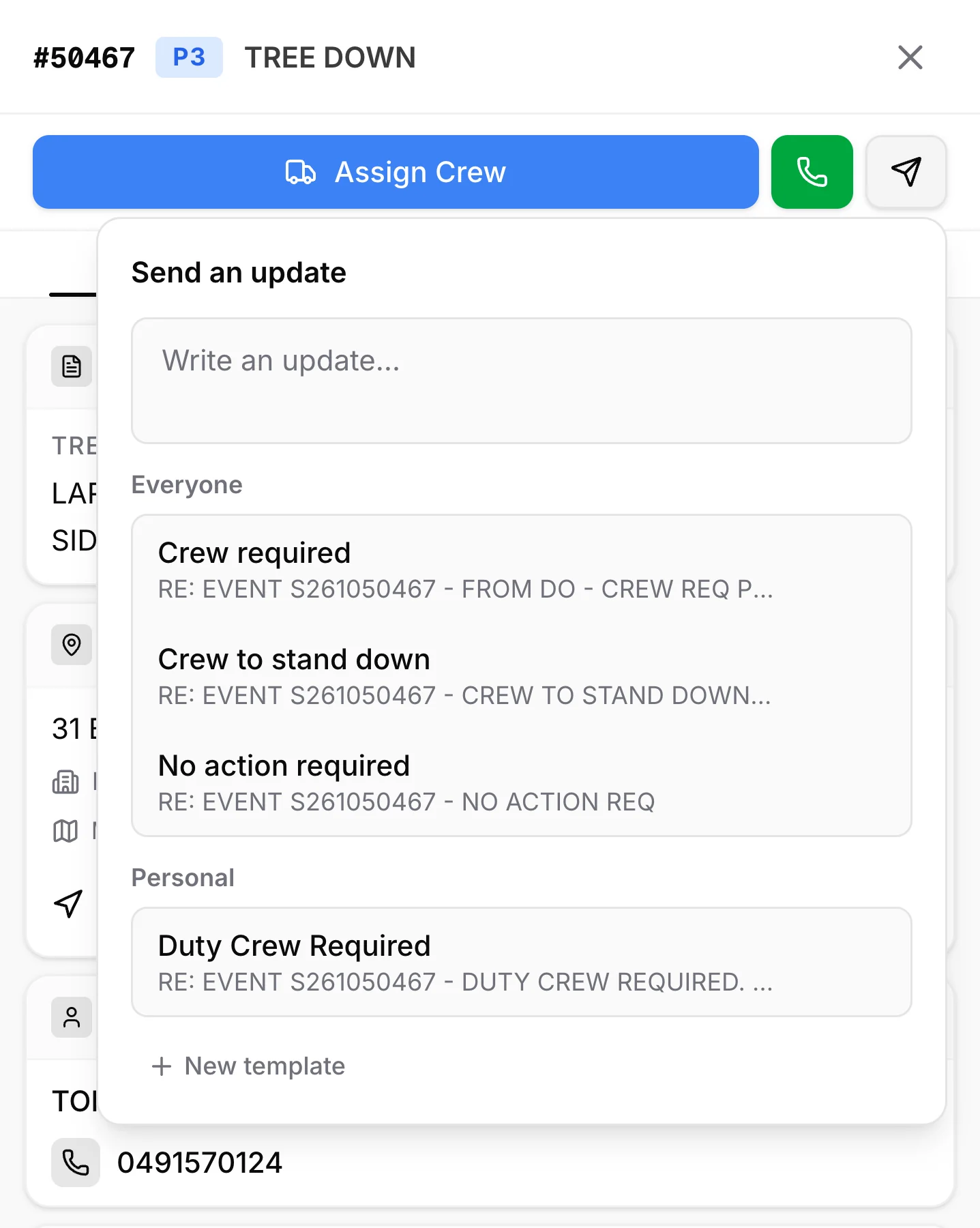
Send updates as push notifications through Vantage Alerting, using saved templates to keep members informed without taking your attention away from the response.
Make extra help easier to coordinate
Bring visiting crews into the same workflow with a shared link, so you can assign incidents without managing a separate system.
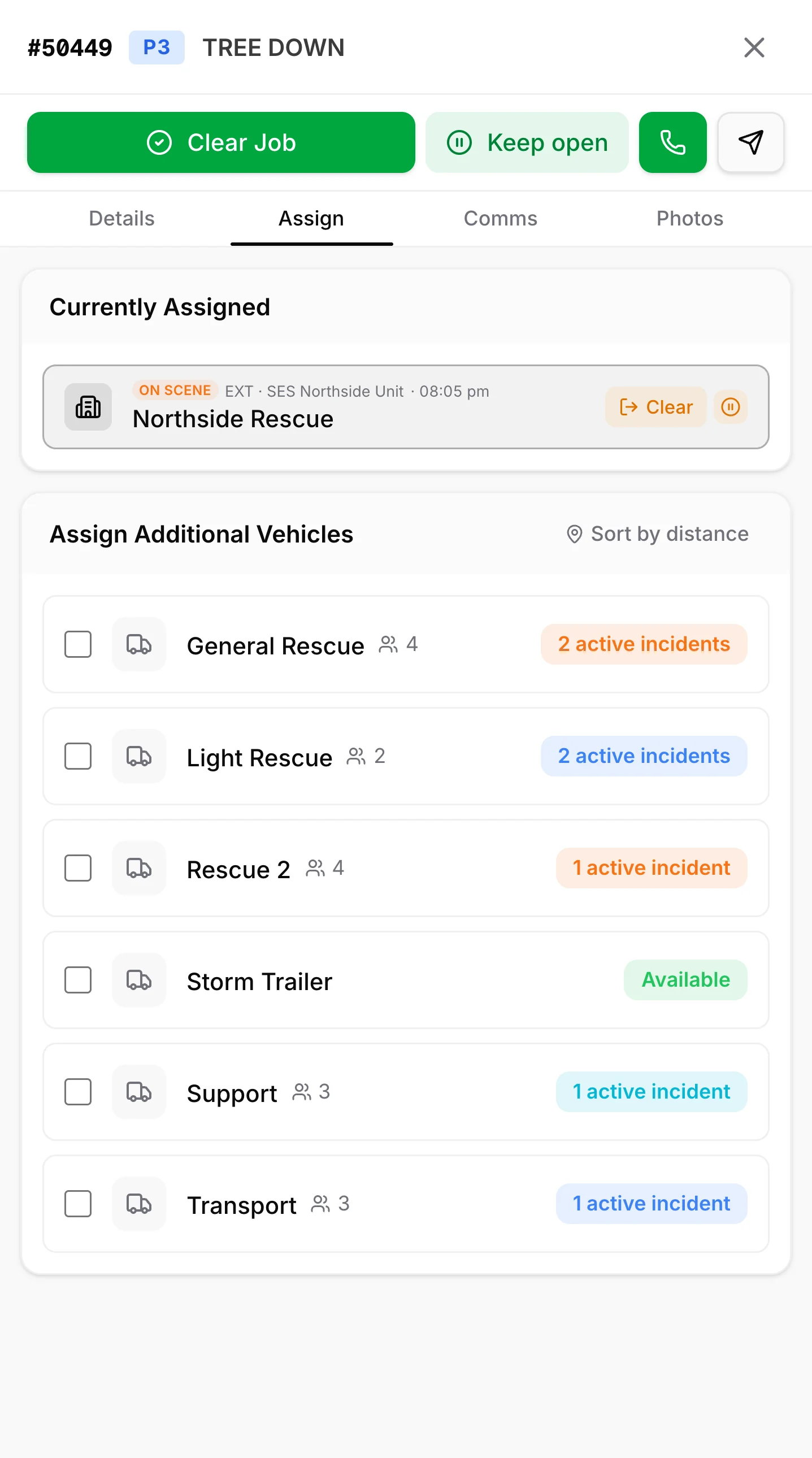
Keep the station informed at a glance
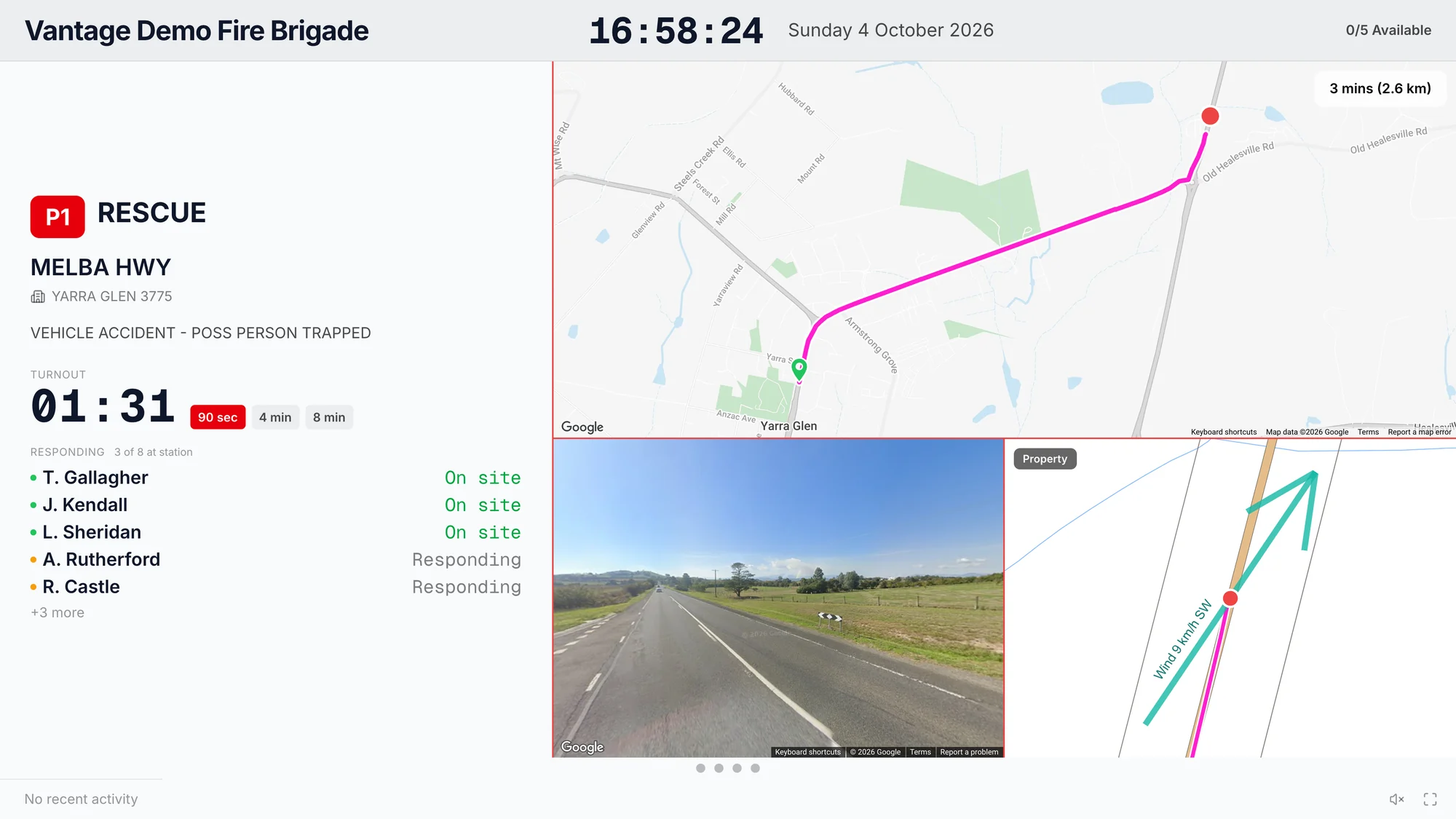
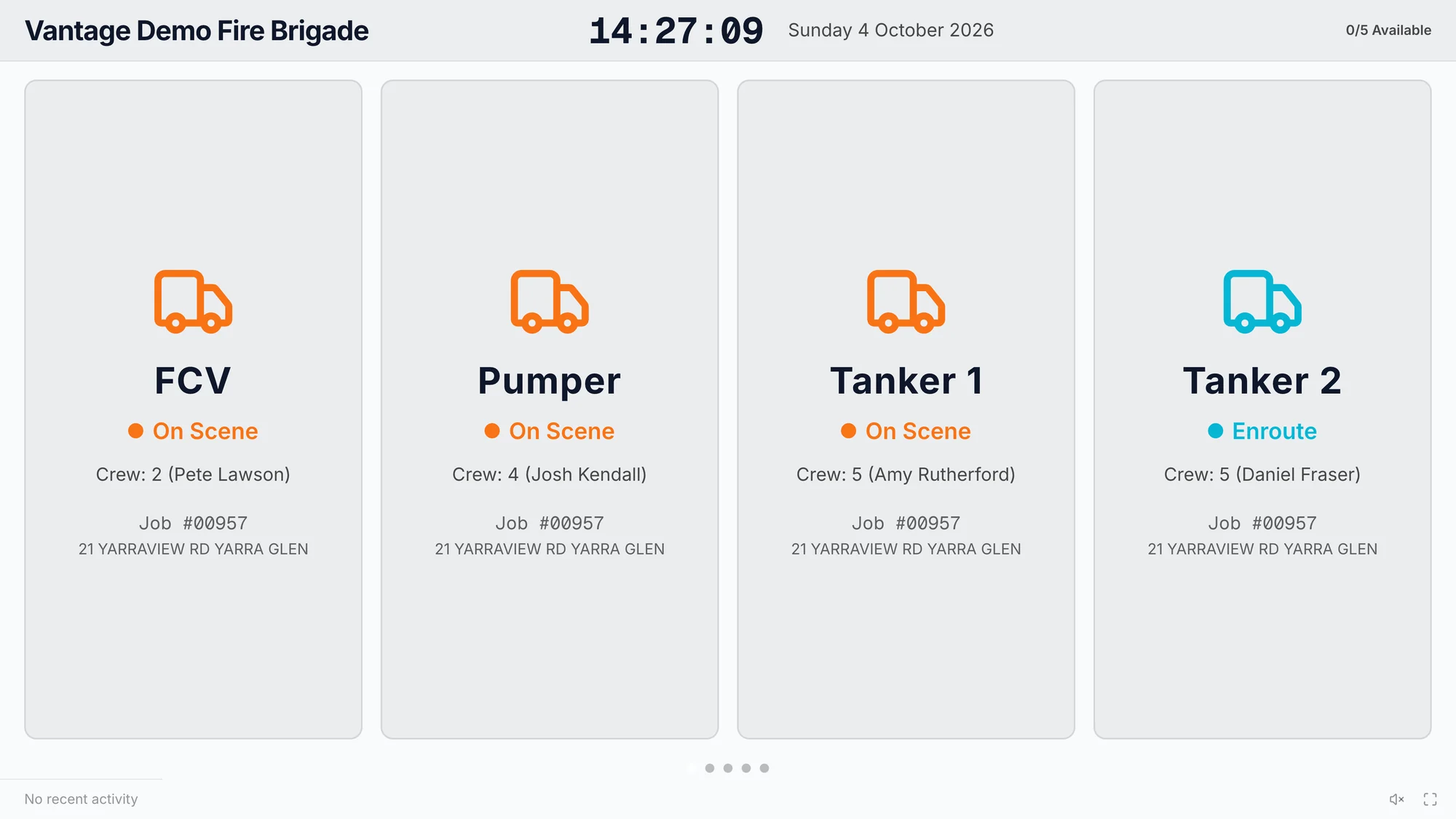
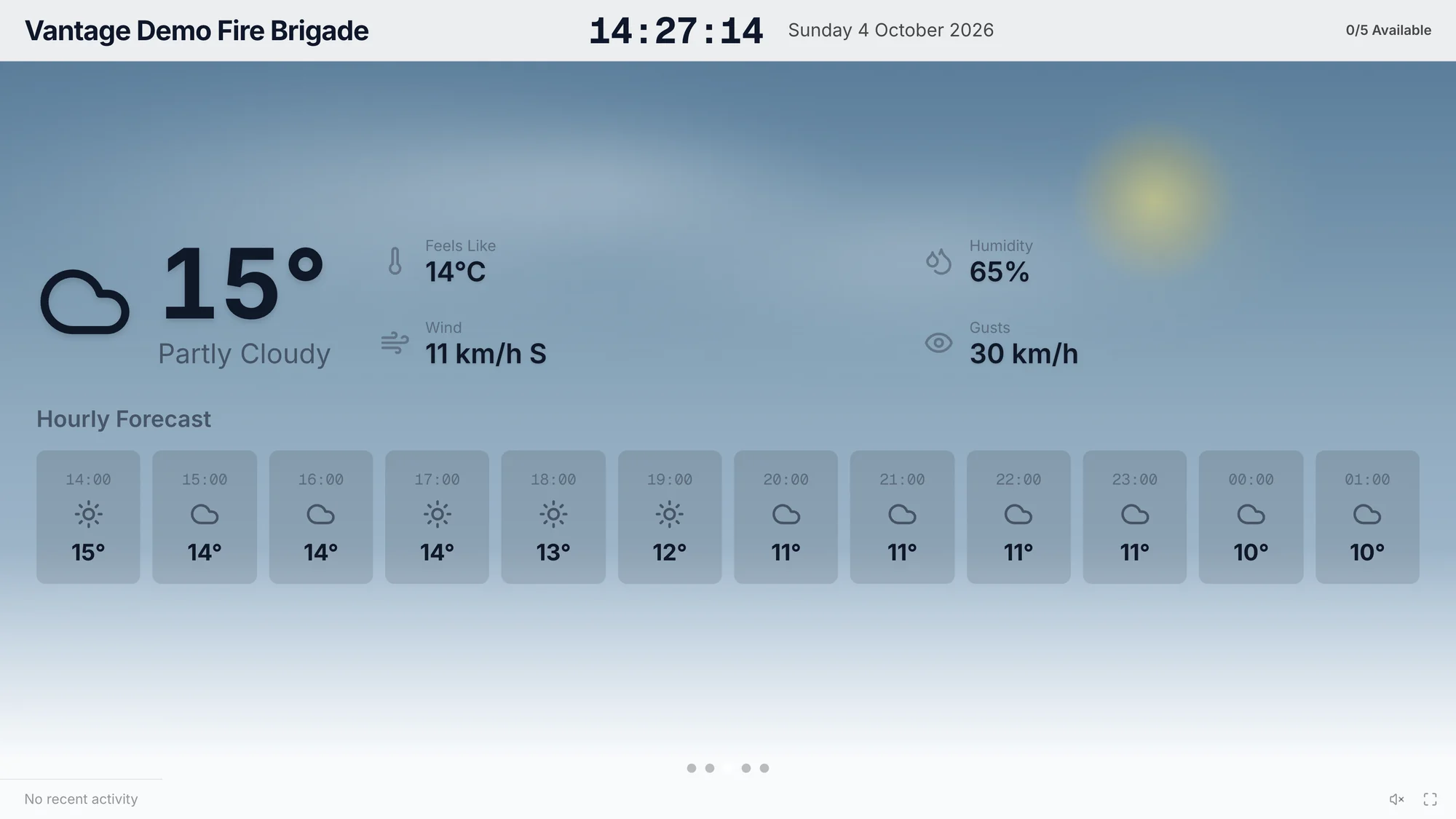
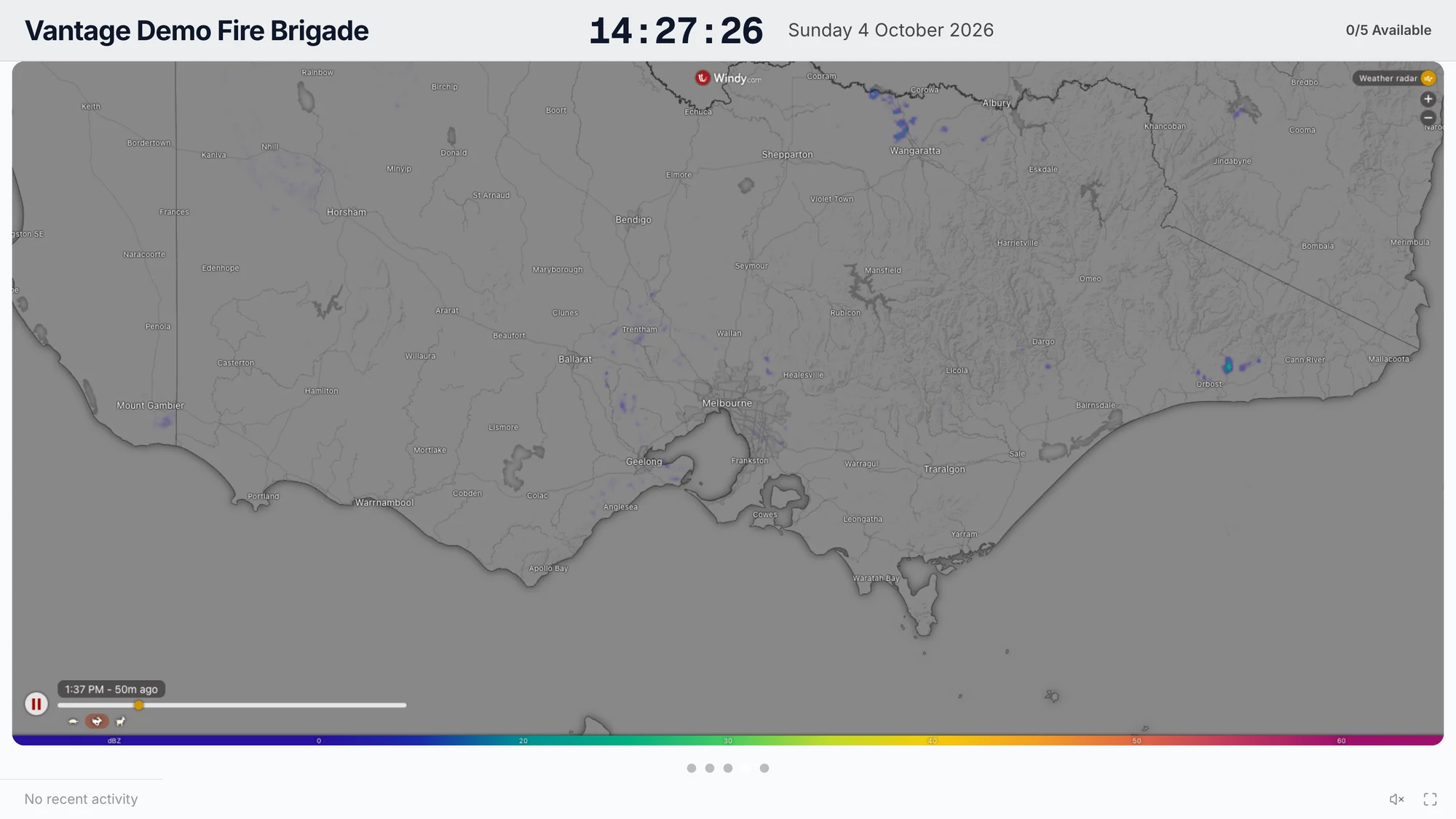
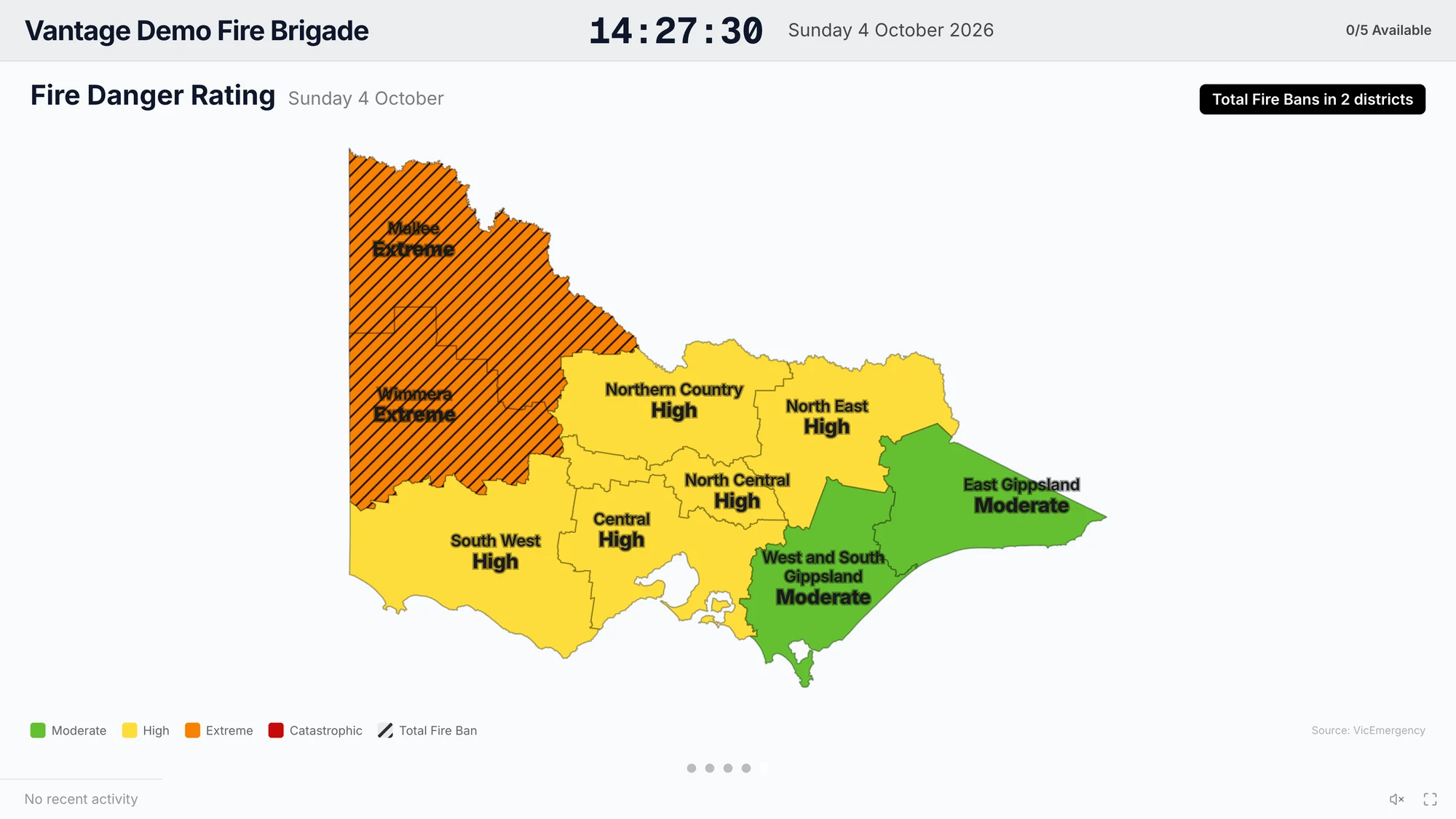
Give people arriving at the station a view of vehicle status and conditions, with a display that switches to incident details when a priority one incident arrives.
Look after your people and the follow-up
Know when someone may need a break
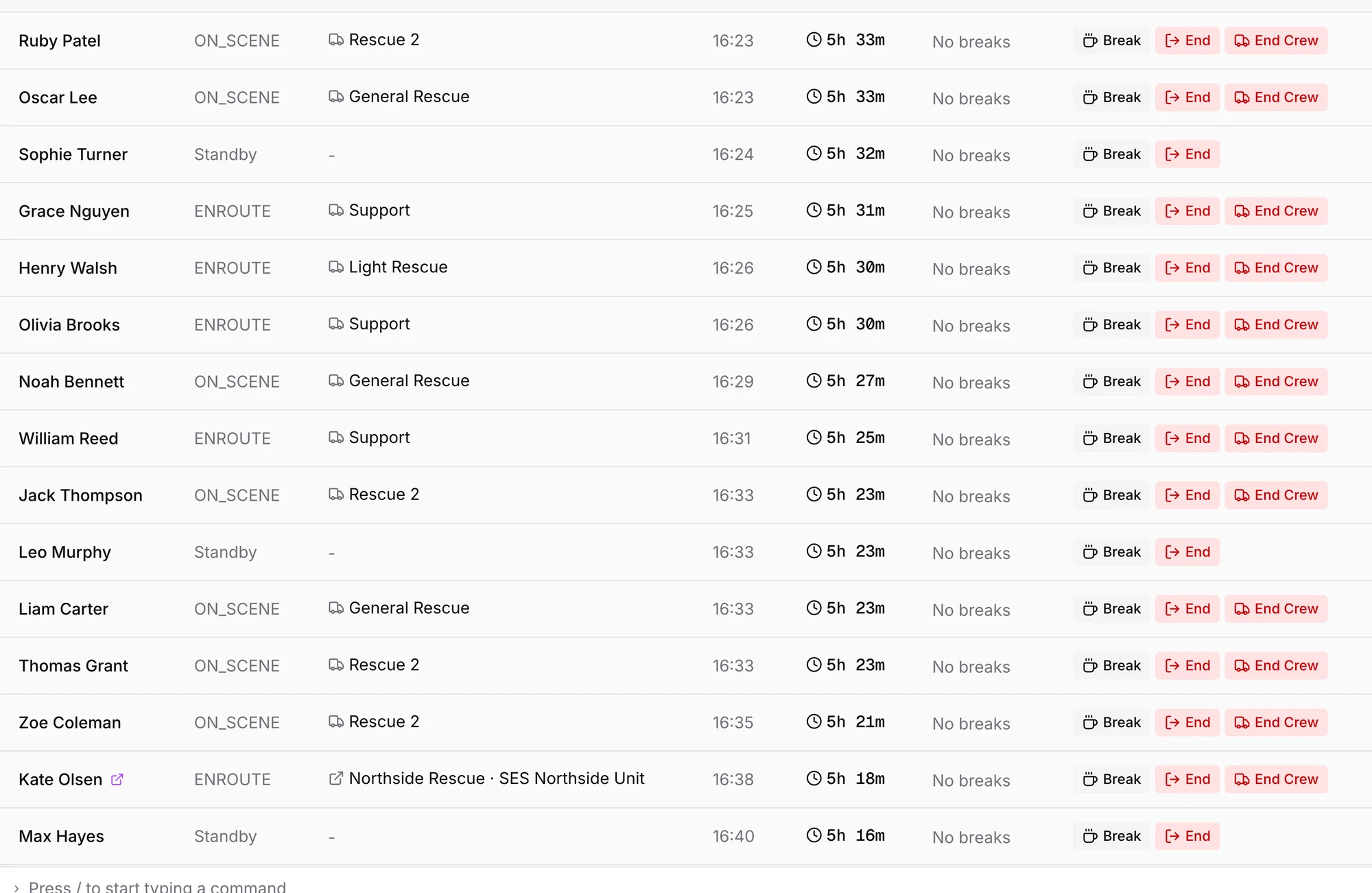
See time on duty and recorded breaks together, helping you plan relief and check in with people during a long response.
Less to reconstruct afterwards
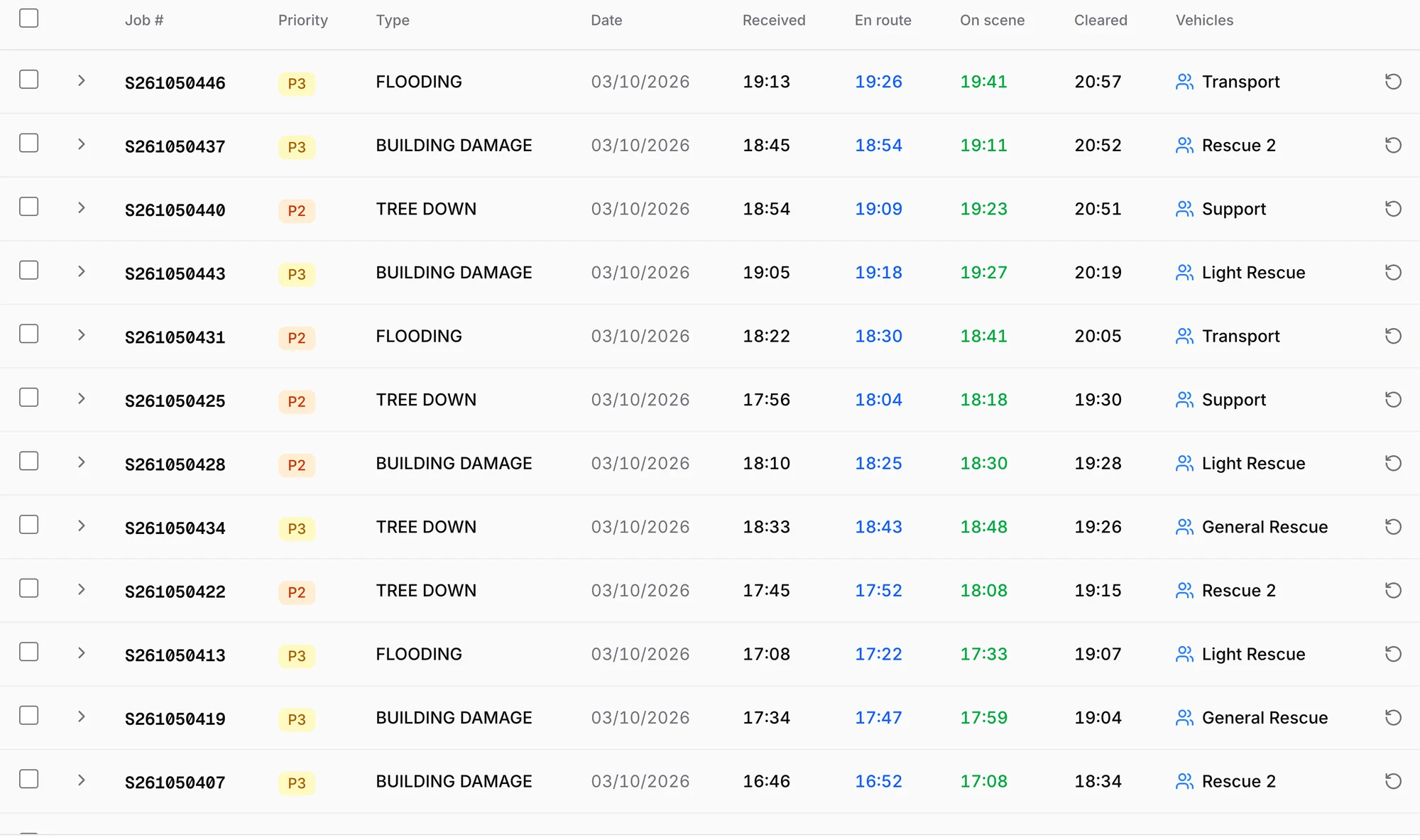
Every cleared incident, with its received, en route, on scene and cleared times. Photos, comments and other details carry into the report, so a 10-minute report can take just 2.
“Being able to collect photos and information from complainants before dispatching a crew helps us prioritise jobs, make better decisions and ensure crews arrive with the information they need.”
Questions
Can incidents be created automatically?
Yes. Incidents can arrive automatically and instantly from pager messages or CAD, with details such as the address, type, caller and access notes already filled in.
Does Vantage make operational decisions for us?
No. Your people make the operational decisions. Vantage brings incident details, vehicle status, locations and crew updates together in one place, so your team can make faster, better-informed decisions.
Can we enter an incident by hand?
Yes. An incident that reaches you by radio or phone is entered on the board and runs the same way.
Does it work for fire brigades as well as SES units?
Incident Control was designed with SES and search and rescue workflows in mind. It also gives fire brigades powerful tools to support incident control, including mapping, live vehicle positions and pre-incident plans. When services work together, a neighbouring brigade or unit can join as a visiting crew and coordinate on the same incident.
What does a crew need in the truck?
The Vantage MDT app on a phone or tablet, for iOS or Android. A visiting crew needs only a link.