21st century incident management for your unit
Vantage Ops is a real-time operations dashboard that gives SES units live incident tracking, vehicle dispatch, mapping, automated caller SMS, bay displays, MDT apps, and complete ICP management — all in one system.
One tool to supplement the whiteboards, the paper T-cards, and the radio log. Get a live operational picture that everyone can see.
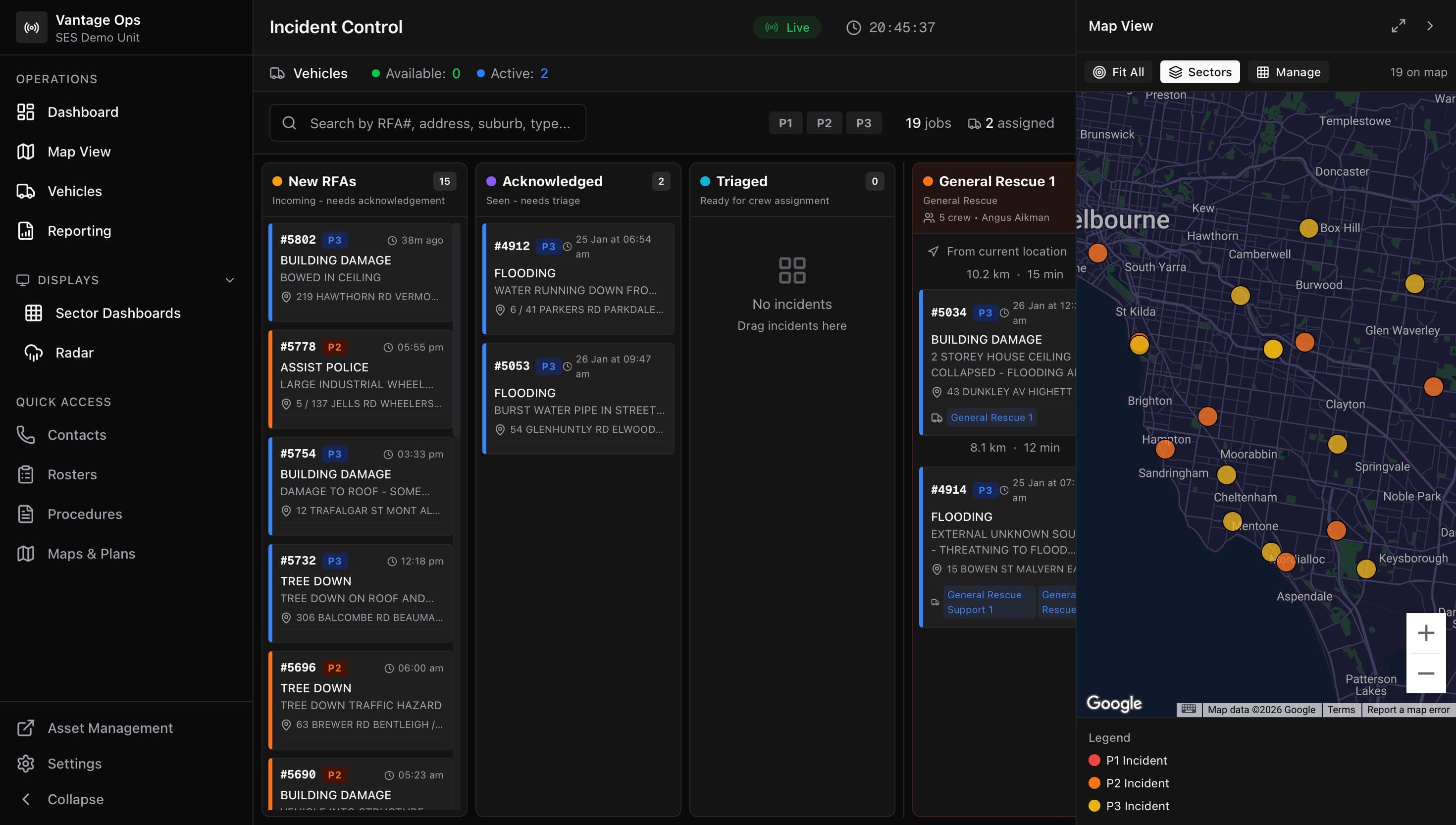
Live incident dashboard — dark mode optimised for 24/7 operations
Everything in One System
The complete ICP management platform
Every tool your unit needs to run an incident control point — from the first page to the final report.
Incident Dashboard
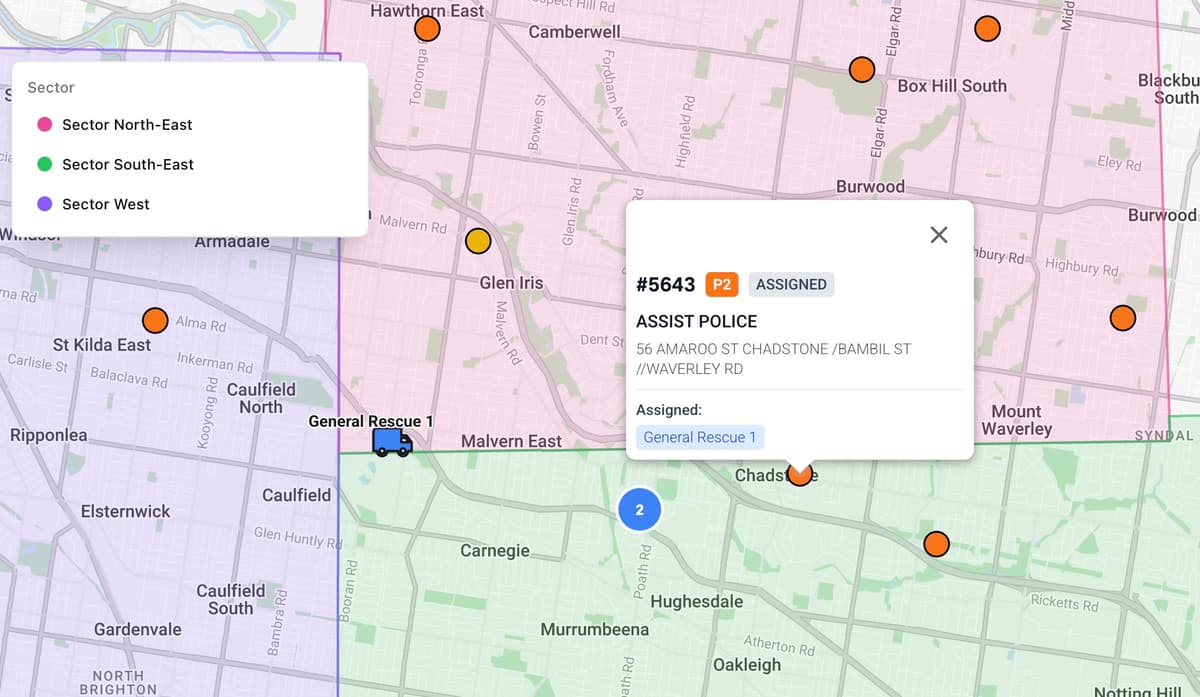
Kanban board with drag-and-drop dispatch
Live Maps
Incidents, vehicles, and sectors on one map
Vehicle Tracking
Real-time fleet status and GPS location
Sector Management
Draw boundaries, assign resources by zone
Bay Displays
Wall screens with TTS alerts and radar
iOS & Android MDT
Mobile data terminal for crews on the road
Automated SMS
Templated messages sent to callers instantly
Skills Tracking
Crew competencies and certification records
Contacts
Utility, agency, and member directory
Rosters
Shift scheduling and crew availability
Procedures & Maps
SOPs, floor plans, and area maps on hand
Reporting
Incident analytics, turnout times, and exports
Multi-Agency Support
Track external units, mutual aid, and interstate resources
SMS Image Triage
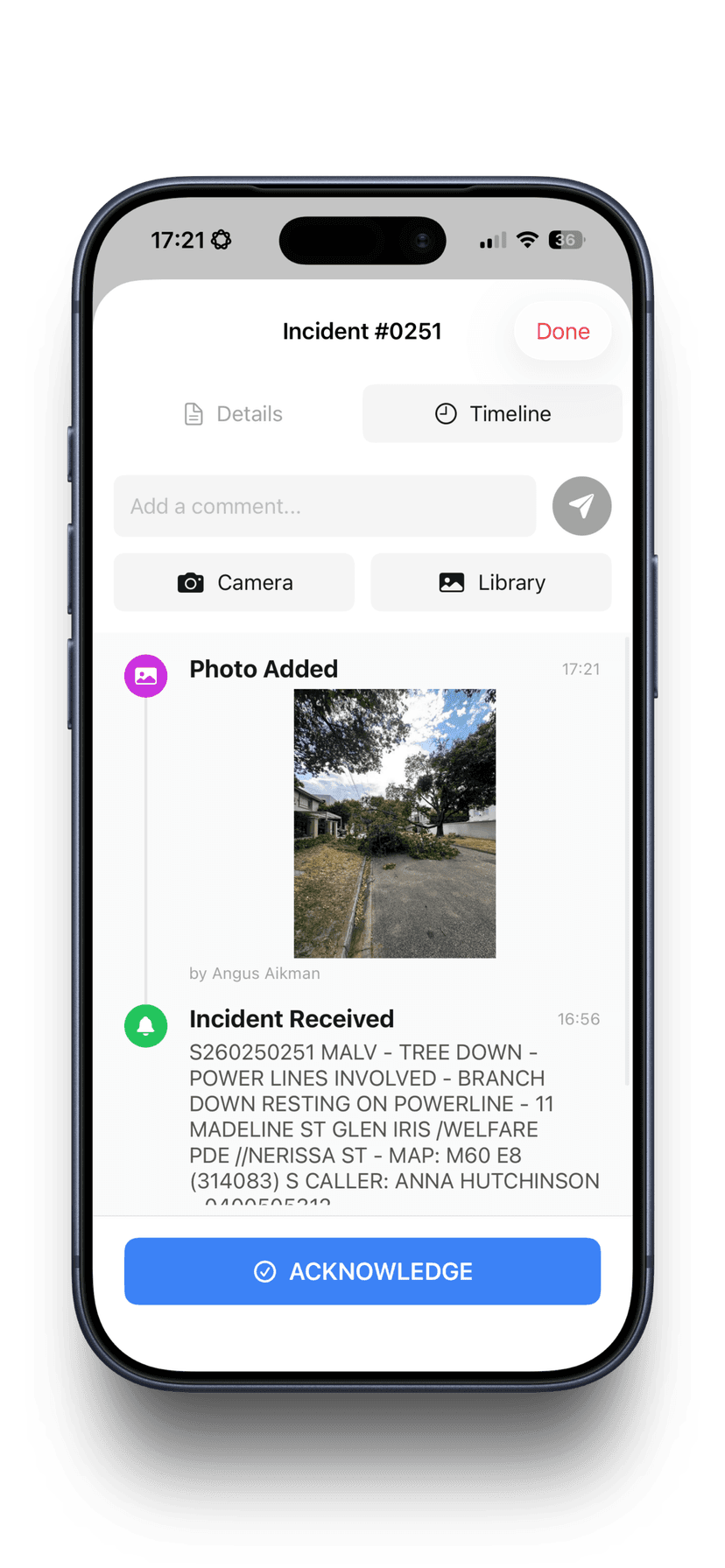
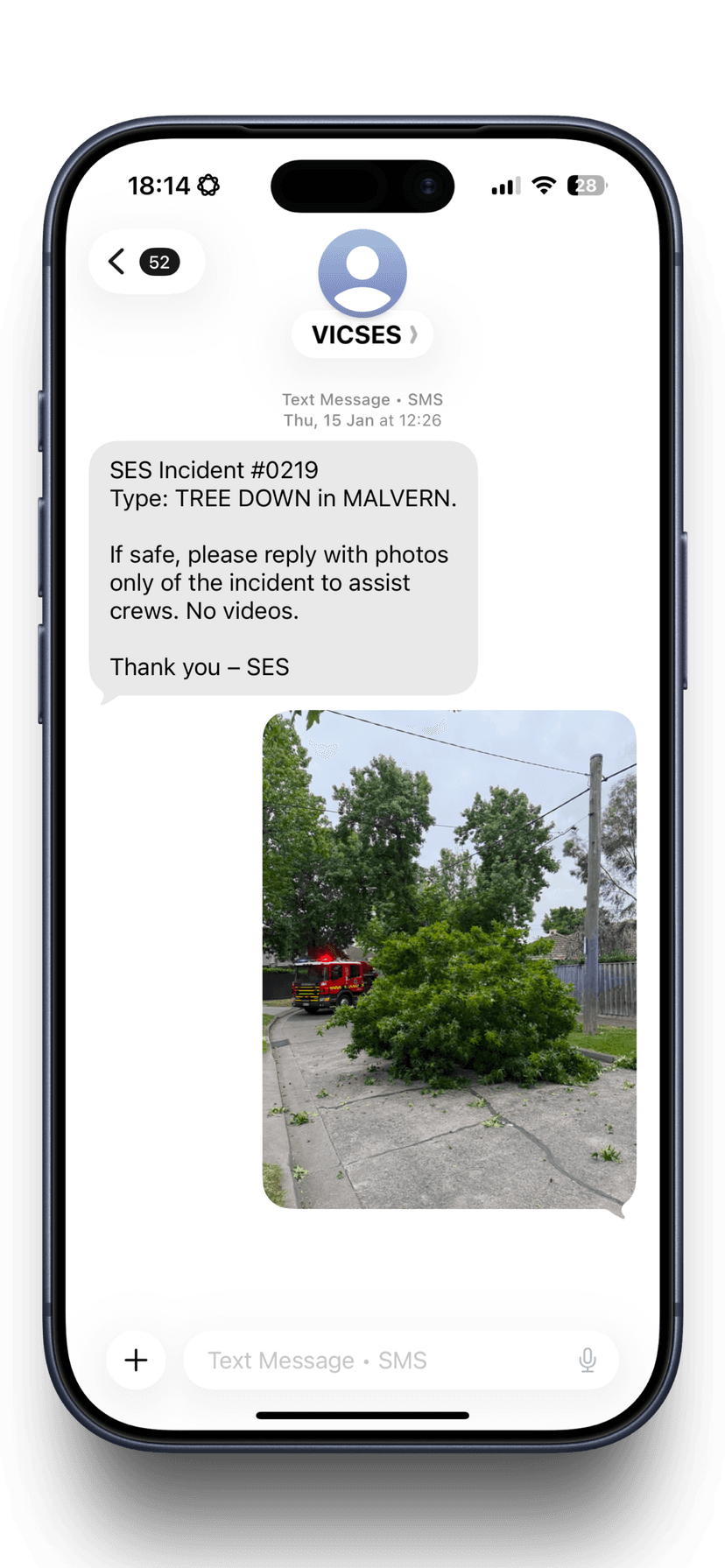
Callers SMS photos directly into the job for remote assessment
Advanced Analytics
Equipment usage, skill deployment, and operational insights
Attendance & Turnout
Member attendance, crew tracking, and turnout time reporting
A live kanban board for every active incident
Incidents flow through a real-time board — from new RFA to triaged, assigned, enroute, on scene, and cleared. Drag and drop to assign vehicles. See priority, status, and crew at a glance. P1 incidents get their own priority lane so nothing critical gets buried.
- Drag-and-drop vehicle assignment
- Priority lanes — P1 incidents always visible
- Real-time status workflow across the full lifecycle
- Incident detail panel with timeline, photos, and comms
- Search, filter by priority, sector, status, or text
- Pager integration — incidents arrive automatically from CAD
Real-time sync: Every change propagates instantly. When one operator assigns a vehicle, everyone else sees it immediately without needing to refresh — dashboard, map, bay display, and MDT.
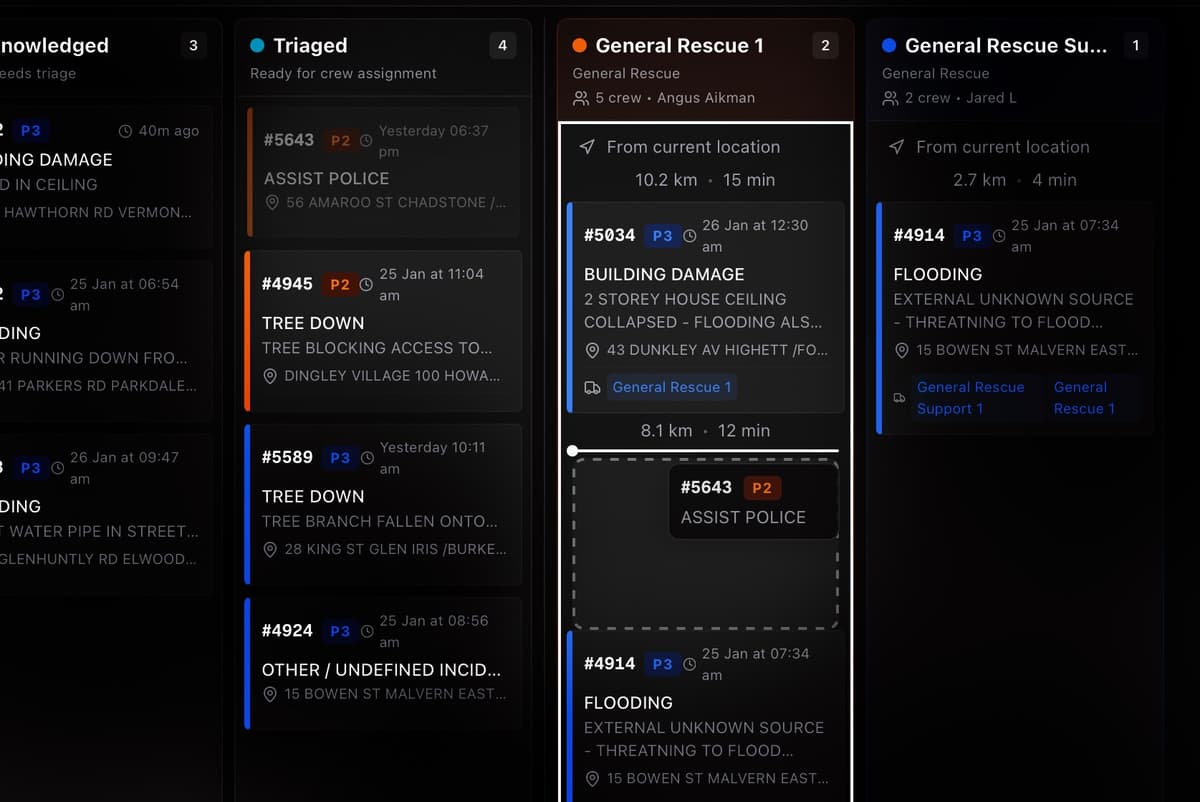
Every incident, every vehicle, every sector — on one map
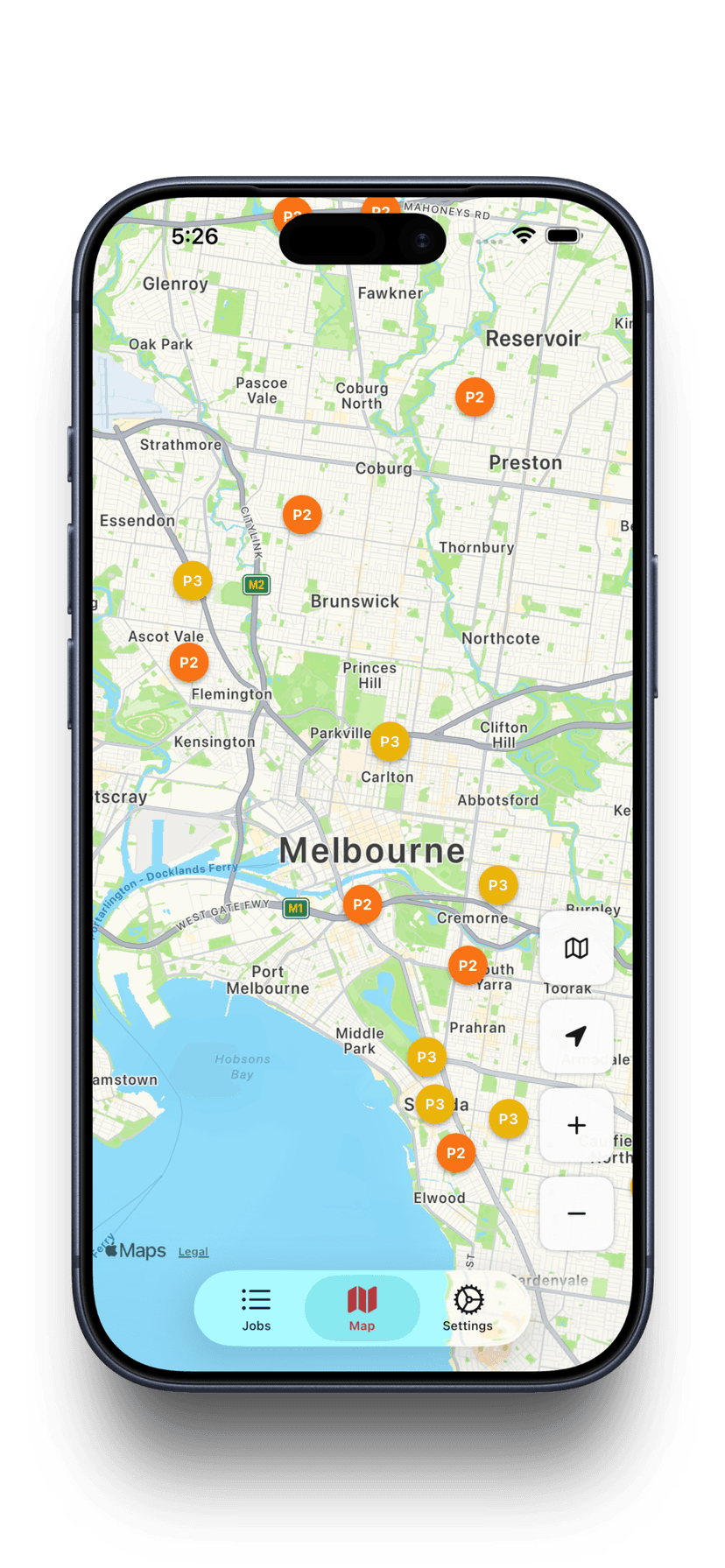
Google Maps with real-time overlays showing incident locations colour-coded by priority, live vehicle positions with status indicators, and sector boundary polygons. Click any marker to see full details. Draw and edit sector boundaries directly on the map.
- Incidents colour-coded by priority (P1 red, P2 orange, P3 yellow)
- Live vehicle GPS — position, heading, speed, and status
- Sector boundaries as editable polygons
- Marker clustering for high-density areas
- Click to view incident details or vehicle assignments
- Auto-count incidents within each sector boundary
Sector management: Draw sector boundaries on the map, assign vehicles and external resources to sectors, and see incident counts per zone in real time.
Wall-mounted screens that keep everyone informed
Purpose-built display modes for station TVs, ICP screens, and sector dashboards. Designed for 24/7 visibility with dark mode, auto-rotation, and text-to-speech alerts.
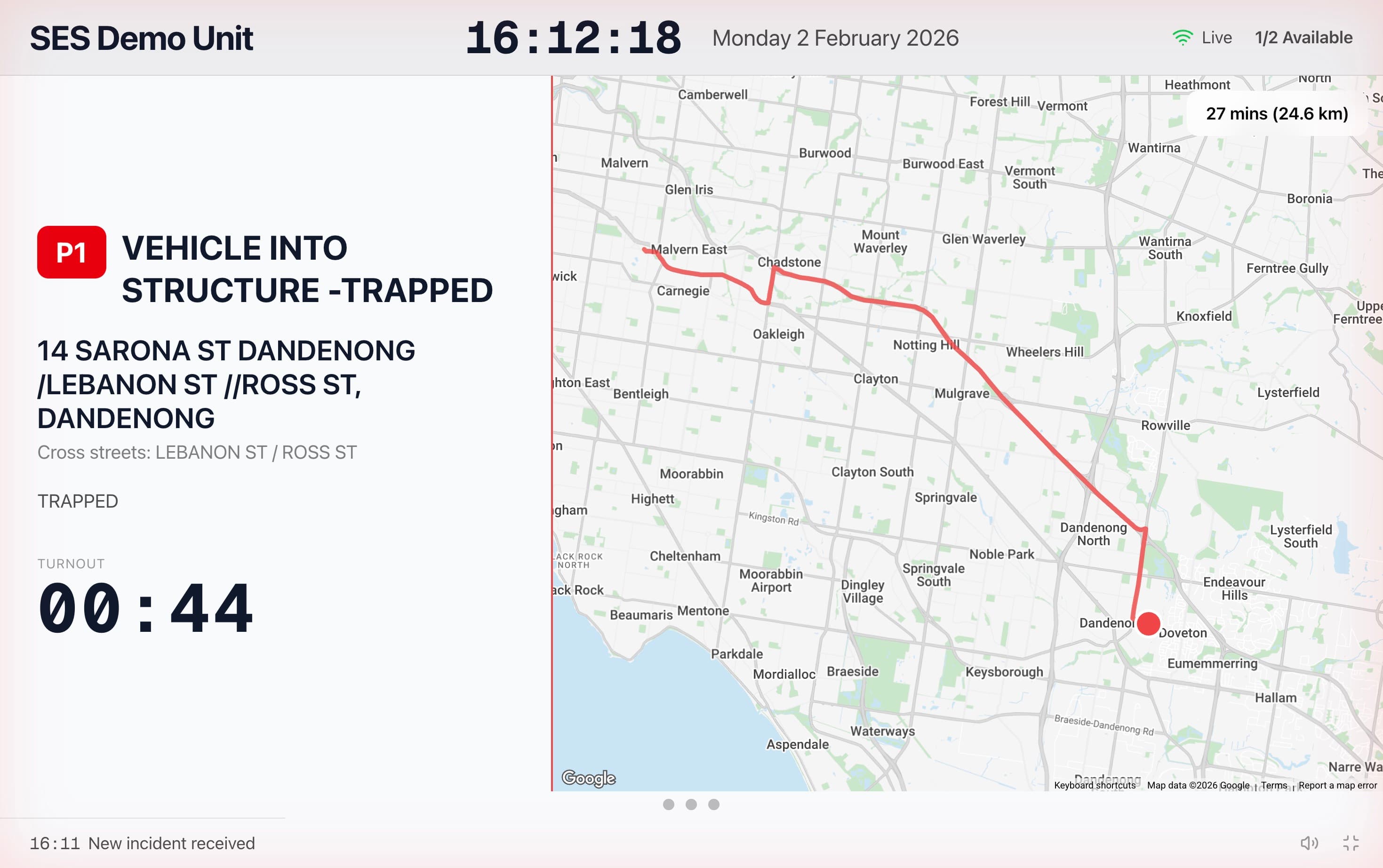
Bay Display
Fullscreen incident cards with turnout timer, weather, and radar. Text-to-speech announces new incidents. Auto-rotates between views every 15 seconds.
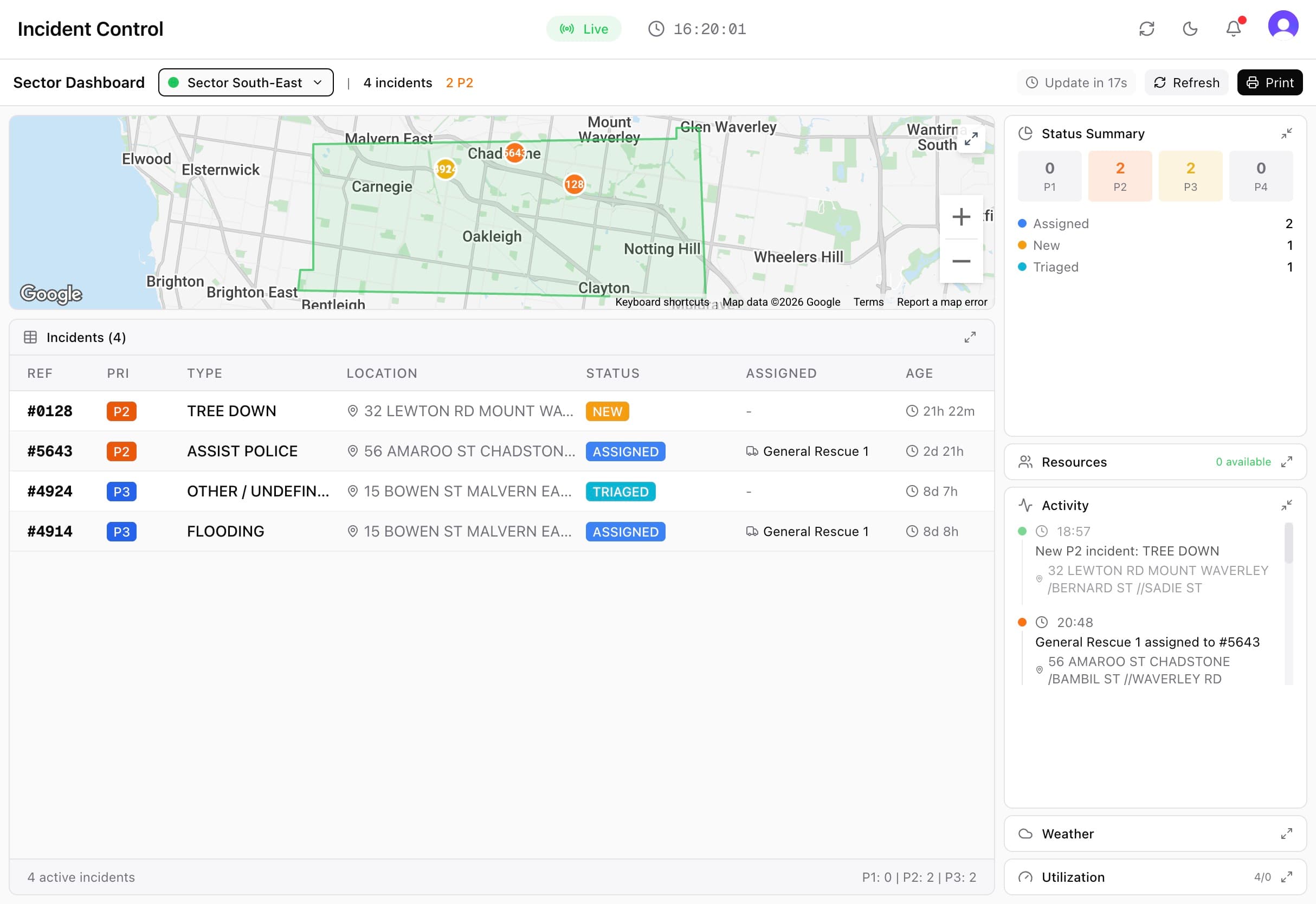
Sector Dashboard
Sector-specific intelligence — incident status summaries, crew availability, activity timeline, resource utilisation, and a focused sector map. Print-ready mode for briefings & vehicle handouts.
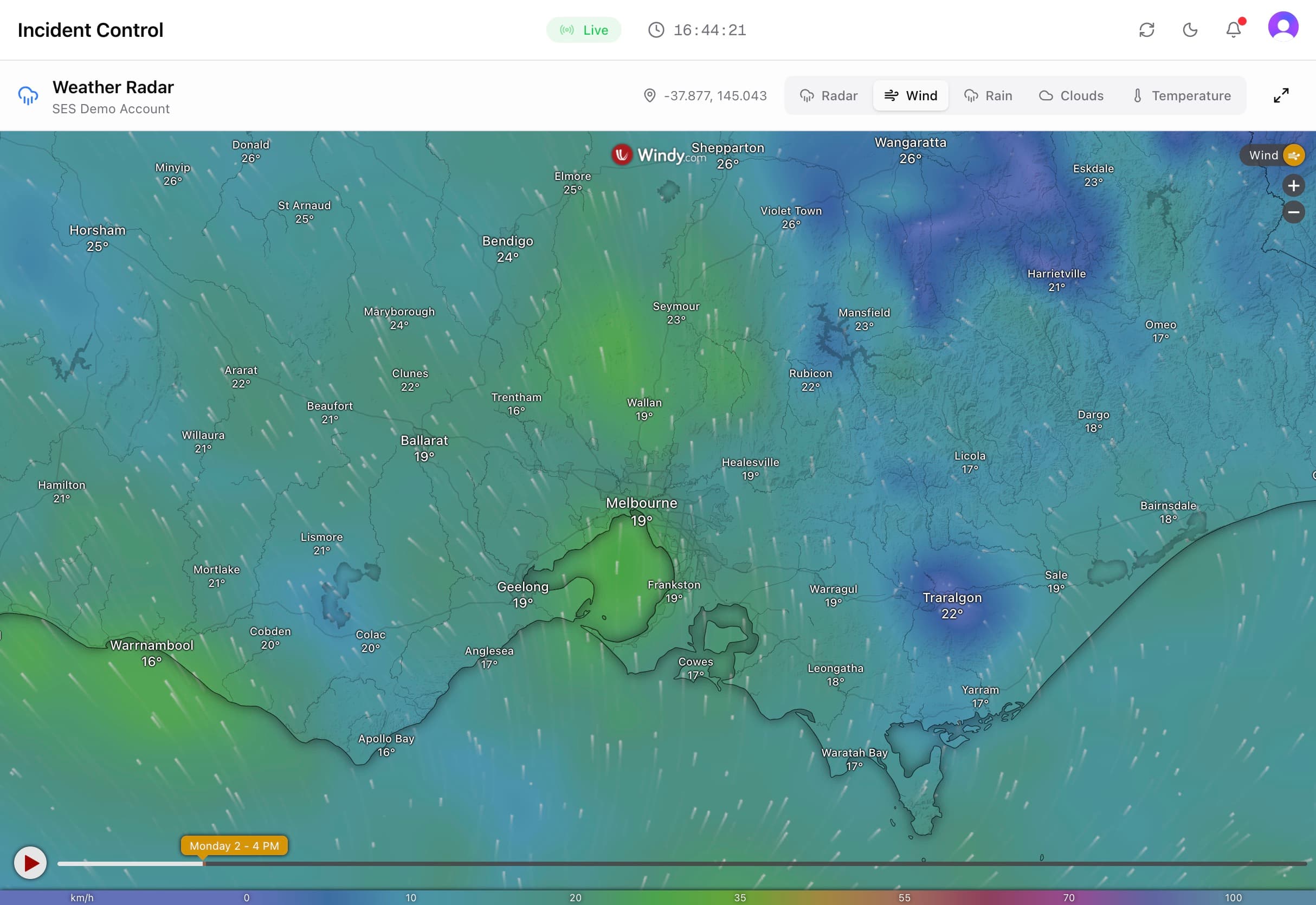
Radar Display
Weather radar overlay for real-time tracking of four weather datapoints. Essential for storm operations and response planning.
Text-to-speech alerts
When a new P1 incident arrives, the bay display plays an alert tone and reads job details aloud — incident type, address, and assigned vehicles, while also showing the fastest route.
A mobile data terminal in every crew member's pocket
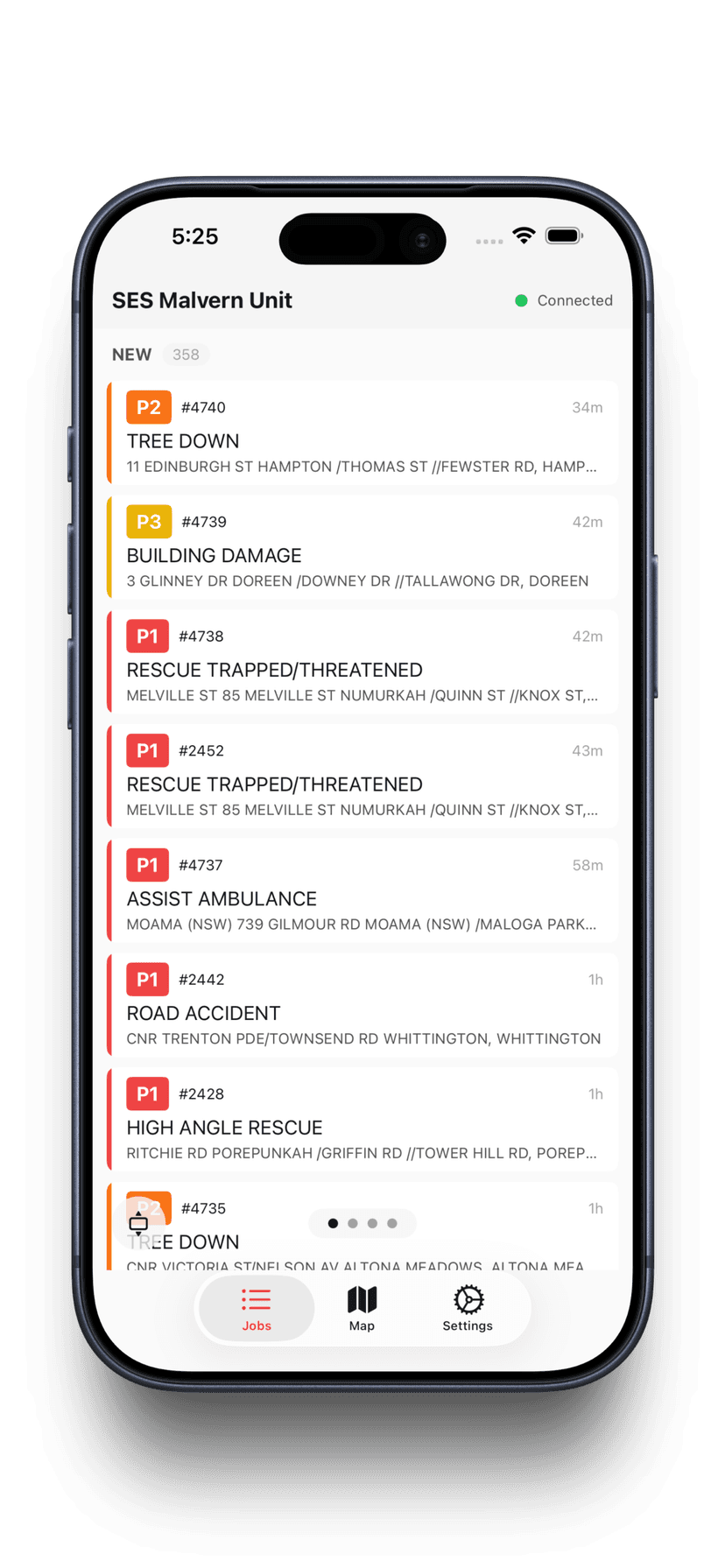
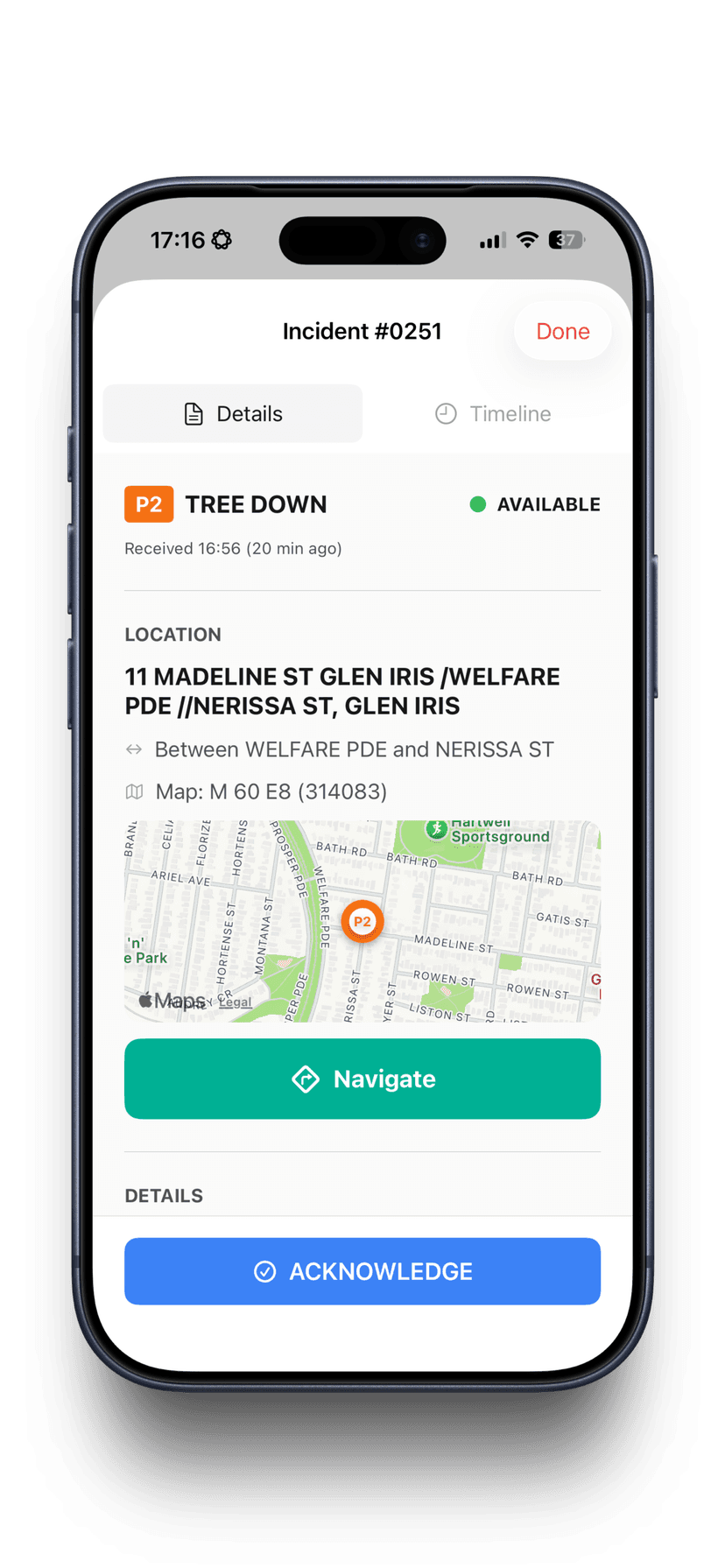
Native iOS and Android apps give crews on the road full visibility of their assigned incidents, navigation to the scene, status updates, and the ability to upload photos and notes — all synced in real time back to the operations dashboard.
- View assigned incidents with full details and map
- One-tap status updates — enroute, on scene, cleared
- Upload photos from the field with captions
- GPS location shared back to the ops dashboard
- Navigate to incident address with one tap
- Works on phones and tablets mounted in vehicles
Keep callers informed without tying up the radio
Send templated SMS messages to incident callers with one click. Dynamic variables auto-fill incident details — address, type, priority, assigned vehicles, and ETA. Track delivery status and maintain a full message history per incident.
- Customisable SMS templates with dynamic variable insertion
- Auto-fill incident number, address, suburb, vehicles assigned
- One-click send from the incident comms tab
- Delivery tracking — pending, sent, delivered, failed
- Full SMS history per incident for audit
- Emergency number disclaimer auto-appended
Example: "[Organisation_Name]: If it is safe to do so, please reply to this message with photos of the [Incident_Type] in [Suburb]. These help our team assess the situation, prioritise jobs, and ensure the right resources are sent. Please do not put yourself at risk to take photos. This is not an emergency channel and is not monitored live. If your life is in danger, call 000."
Beyond the Incident Board
Everything your ICP needs — not just incident tracking
Skills, contacts, rosters, documents, and reporting. All the reference and planning tools that make an ICP actually work.
Skills & Competency Tracking
Track crew qualifications, certifications, and expiry dates. Know who is trained for what — and who needs requalification — before the next callout.
Contacts Directory
Utility companies, council contacts, emergency service partners, hospitals, contractors — all searchable by category. Pin important contacts for quick access during incidents.
Rosters & Shifts
Multiple roster templates with colour-coded shifts. Weekly calendar view, shift assignments, and crew availability visible across the organisation.
Procedures & Maps
Upload SOPs, floor plans, and area maps. Searchable document library available to all members. The right procedure on hand when you need it.
Reporting & Analytics
Incident reports by date range, turnout time analysis, resource utilisation, and priority distribution. Export and print for debriefs and compliance.
External Resource Tracking
Assign events to external crews and partner agencies — call sign, origin, capabilities, crew, and arrival times. Assign to incidents and sectors alongside your own fleet.
Why Vantage Ops
The best incident management software on the market, built for VICSES
Not a repurposed corporate tool. Not a spreadsheet with a coat of paint. A ground-up operations platform built by members who understand your operations.
Real-time, not after-the-fact
Every change — incident status, vehicle assignment, crew update — propagates instantly via WebSocket to every screen: dashboard, map, bay display, and MDT.
Defensible records
Timestamped incident timelines, photo evidence, SMS history, and assignment logs. When someone asks what happened, you have the data — not a reconstructed memory.
Built for volunteers
Rotating members, ad-hoc callouts, varying experience. The system is intuitive enough for any member and structured enough for ops leads running an ICP.
Dark mode, 24/7 ready
Designed for operations centres and station environments. High-contrast dark theme reduces eye strain during long shifts and overnight operations.